
Cricfy TV v7.2 APK: What’s New & Full v7.x Changelog
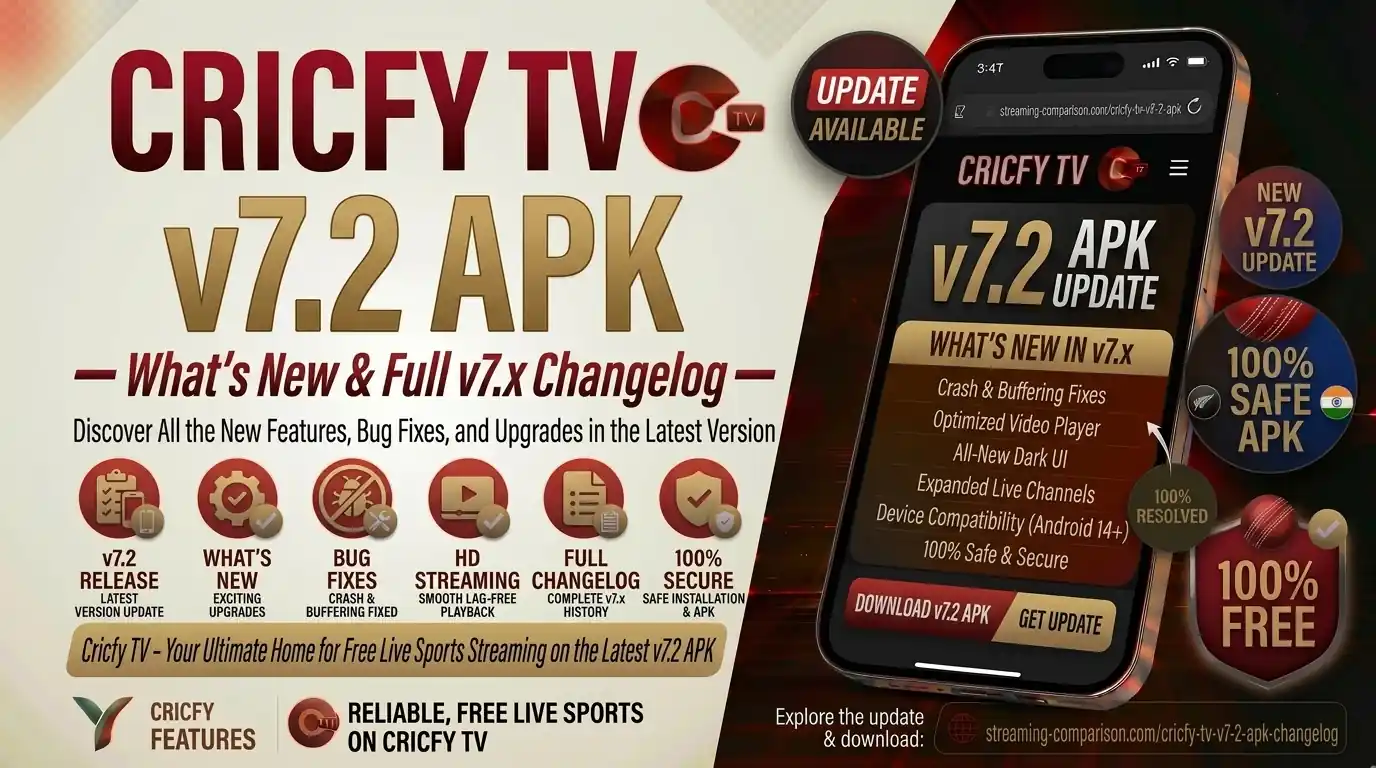
So Cricfy TV just hit v7.2, and if you have not updated yet, you are missing out on some genuinely useful changes. This guide breaks down every single update in the v7.x series — from the sweeping UI overhaul in v7.0, through the multi-link upgrade in v7.1, all the way to the server and stability fixes in v7.2. Whether you are a long-time user or brand new to the app, this is the only changelog page you need.
What Is Cricfy TV?
Cricfy TV is a free, ad-supported live TV streaming application for Android. It aggregates hundreds of sports and entertainment channels into a single lightweight APK that you sideload onto your device — no Google Play Store required, no subscription, no account creation.
The app is genuinely global in scope. It streams live cricket from the International Cricket Council (ICC) events, football from major European leagues, basketball, tennis, kabaddi, motorsport, and a wide variety of news and entertainment channels spanning South Asia, the Middle East, Africa, Europe, and the Americas.
Because Cricfy TV sits outside official app stores, every new version ships as an APK file. That means you need to stay on top of version updates yourself — which is exactly why this changelog page exists.
Cricfy TV is a third-party aggregator and is not affiliated with any broadcaster, league, or official rights holder. It is available only as an Android APK sideload. There is no official iOS or Play Store release.
The v7.x Generation at a Glance
The v7.x series represents the biggest single leap in Cricfy TV’s development history. Before v7.0, the app had a functional but cluttered interface that had not changed structurally since v5.x. The v7.x generation rebuilt the app from the UI layer down, touching everything from the home screen layout to how the media player handles alternative stream links.
Here is a quick summary of what each v7.x release addressed:
- v7.0 — Complete UI/UX redesign, new home screen, new navigation architecture.
- v7.1 — Multiple Links Available feature, AQ/HD stream labels, dedicated Sports and Categories screens.
- v7.2 — Enhanced server failover, improved player stability, full Android 15 compatibility, bug fixes across all previous v7.x builds.
Together, the three releases form a coherent generation that makes Cricfy TV noticeably faster and easier to use than any version that came before. Read on for the full breakdown of each one.
Cricfy TV v7.2 Changelog
Version 7.2 is the current stable release as of September 2026. It does not add headline-grabbing new features the way v7.0 and v7.1 did. Instead, it focuses on making every feature that already exists more reliable. Think of it as the polish pass the v7.x series needed.
Released September 2026. This is the recommended build for all users. It brings full Android 15 compatibility and meaningfully improves stream reliability.
What Changed in v7.2
- Enhanced server failover — When a primary stream server goes down during a live match, v7.2 switches to a backup server significantly faster than v7.1 did. This is the single biggest practical improvement in the update.
- Improved player stability — The media player in v7.1 occasionally froze during stream source switches. v7.2 fixes this across both the standard and floating-player modes.
- Android 15 compatibility — Full compatibility with Android 15’s new permission model and predictive back gesture. Users on Pixel 9 and other early Android 15 handsets reported crashes in v7.1; those are resolved.
- Multiple Links panel fix — In v7.1, the Multiple Links Available screen occasionally showed duplicate entries for the same stream. v7.2 deduplicates these correctly.
- Low-quality mode toggle — The low-bandwidth mode introduced in v7.1 now persists across sessions. Previously it reset to the default after closing the app.
- Channel list refresh rate — The channel metadata now refreshes every 15 minutes instead of every 30, meaning new channels added by the Cricfy team appear faster.
- Notification timing — Match-start alerts now fire 5 minutes before kick-off rather than 1 minute, giving you enough time to actually open the app.
- Minor UI polish — Corrected font weight inconsistencies on the Categories screen and fixed a touch-target sizing issue on small-screen devices under 360px wide.
- Security patch — Internal dependency libraries updated. No known malware or spyware components in this build.
If you are running any version before v7.2, update now. The server failover improvement alone makes a noticeable difference during high-traffic events like ICC tournaments, IPL, PSL, and Champions League knockout matches.
Cricfy TV v7.1 — Full Changelog
Version 7.1 shipped about a month after v7.0 and was the update that truly delivered on the redesign’s promise. The structural changes from v7.0 were there; v7.1 layered in the features that made navigating live sport genuinely better.
Introduced the Multiple Links Available screen, AQ/HD quality labels, and dedicated Sports and Categories channel-browsing views. A major feature release built on the v7.0 foundation.
What Was New in v7.1
- Multiple Links Available screen — This was the headline feature. When Cricfy has more than one stream source for a live event, v7.1 groups all of them into a single dedicated panel instead of hiding the extras behind a fallback button. This makes it far easier to switch between sources without abandoning the app flow.
- AQ and HD quality labels — Stream quality indicators now appear directly on the selection screen so you can pick a lighter stream (AQ) or a sharper one (HD) before playback begins, rather than discovering quality after waiting for a stream to load.
- Dedicated Sports channels screen — Sports-focused live channels got their own visual grid, separate from the general channel list. This significantly reduces scrolling for users who only care about sports and not entertainment or news channels.
- Categories screen — A new top-level Categories view groups channels into logical buckets: Sports, News, Entertainment, Regional, and more. This is especially useful for international users who want to filter by geography or content type.
- Floating player enhancement — The picture-in-picture floating player received a reliability improvement. It no longer crashes when switching between the player view and the channel list.
- Redesigned side menu — The side navigation was restructured to surface the most-used tools directly: Network Stream, Playlists, Live Scores, Floating Player, Low Quality toggle, Telegram link, Contact, and Update App. Previous versions buried some of these in sub-menus.
- Live, Recent, Upcoming tabs — The home screen events list gained three filter tabs so you can jump straight to currently live fixtures, check what just finished, or preview the next few hours of scheduled matches.
- Sport icons as filters — Tapping a sport icon on the home screen (cricket, football, basketball, etc.) filters the event list to that sport only. This replaced a slower search-based workflow from v7.0.
- Improved match card layout — Event cards now display competition name, competing teams, and start time in a consistent, scannable format.
- Low-quality mode — Added a global low-bandwidth setting for users on slow connections or limited data plans. Selecting it forces all streams to their lowest available resolution.
- Telegram channel link — Direct access to the official Cricfy Telegram channel from inside the app for update announcements and status notices.
For a deeper look at the v7.1 UI changes, check out the Cricfy Live TV homepage, where you will find screenshots of the redesigned interface alongside download links.
Cricfy TV v7.0 — Full Changelog
Version 7.0 was the generational reset. It dropped the old interface entirely and rebuilt the app’s visual and navigational architecture from scratch. If you look at a screenshot of v6.8 next to v7.0, they look like two different apps.
The v7.0 release scrapped the v6.x interface and introduced a new home screen architecture, refreshed navigation, and a significantly faster stream-loading pipeline.
What Was New in v7.0
- Full UI/UX redesign — Every screen was redesigned. The home screen moved from a flat channel list to a content-first layout centered on live events.
- New navigation architecture — The bottom tab bar from v6.x was replaced with a side-drawer navigation that scales better on tablets and Android TV.
- Faster stream-loading pipeline — Stream handshake time was reduced. Channels that previously took 8–12 seconds to load now typically start within 3–5 seconds on a decent connection.
- Refreshed match card design — Event cards were rebuilt to display more information at a glance: teams, tournament, time, and live/scheduled status.
- Network Stream support — Added the ability to load a custom M3U8 playlist URL directly into the app, giving power users access to their own stream sources alongside Cricfy’s built-in channels.
- Playlist import — Users can import IPTV playlists from local storage or a URL, making the app more flexible for users who maintain their own channel lists.
- Live score integration — Basic live score overlays for cricket and football appeared within the app for the first time, pulling from public sports data APIs.
- Performance improvements — Memory footprint reduced by approximately 15% compared to v6.8, which translated to fewer crashes on low-RAM devices (2 GB RAM handsets).
- Android 13 and 14 support — Updated permission handling for modern Android versions where app sideloading requires explicit user confirmation.
v7.0 vs v7.1 vs v7.2 Side-by-Side
Here is every significant change across the entire v7.x series in one table. Use this to understand exactly what you gain by moving from one version to the next.
| Feature / Change | v7.0 | v7.1 | v7.2 |
|---|---|---|---|
| Full UI/UX redesign | Yes (introduced) | Refined | Polish fixes |
| Multiple Links Available screen | No | Yes (introduced) | Bug fixed |
| AQ / HD stream quality labels | No | Yes | Yes |
| Dedicated Sports channels screen | No | Yes | Yes |
| Categories channel-browsing view | No | Yes | Yes |
| Live / Recent / Upcoming tabs | No | Yes | Yes |
| Sport icon filters on home screen | No | Yes | Yes |
| Low-quality / bandwidth mode | No | Yes (does not persist) | Yes (persists) |
| Floating player stability | Basic | Improved | Stable |
| Server failover speed | Slow | Moderate | Fast |
| Android 15 compatibility | No | Partial | Full |
| Channel list refresh interval | 30 min | 30 min | 15 min |
| Match-start notification timing | 1 min before | 1 min before | 5 min before |
| Network Stream / M3U8 import | Yes | Yes | Yes |
| Live score overlay | Yes | Yes | Yes |
| Telegram channel shortcut | No | Yes | Yes |
| File size (approx.) | ~18 MB | ~20 MB | ~23.7 MB |
Key Features in Cricfy TV v7.2
Beyond the changelog items, here is what the full v7.2 experience looks like in practice for a global audience of sports fans.
Live Events Home Screen
The home screen in v7.2 keeps live matches front and center. You see All, Live, Recent, and Upcoming tabs at the top. Below them, sport icons let you filter by cricket, football, basketball, tennis, and more. Match cards show team names, tournament context, and start time in a clean, consistent layout that works just as well on a 5-inch phone as it does on a 10-inch tablet.
500+ Live Channels Including Sports, News, and Entertainment
Cricfy TV v7.2 aggregates more than 500 live television channels across sports, news, movies, dramas, and regional content. Sports coverage spans ICC cricket events, FIFA and domestic football leagues, NBA, ATP/WTA tennis, Formula 1, kabaddi, and more. The new Sports and Categories screens in v7.1 (carried forward to v7.2) make finding these channels far faster than previous versions allowed.
Multiple Links Available
When Cricfy has more than one stream for the same live event, the Multiple Links Available panel shows all of them at once. Some carry AQ (adaptive quality) or HD labels. This means you can switch to a working stream in seconds rather than leaving the app to find an alternative source.
Full HD and 4K Streaming Where Available
Cricfy TV supports up to Full HD (1080p) streaming on compatible sources, with select streams tagged as 4K on devices and connections that can handle it. The adaptive quality system adjusts resolution in real time based on your bandwidth, so you get the best picture your connection allows without manual tinkering.
Network Stream and Playlist Import
Power users can load custom M3U8 playlist URLs or import local IPTV playlist files directly into the app. This turns Cricfy TV into a capable IPTV client alongside its own built-in channel aggregation — a combination that few free streaming apps offer.
Floating Picture-in-Picture Player
The floating player lets you keep a live stream visible while you browse channels, check scores, or switch between tabs. It is stable in v7.2 and works reliably on Android 10 through Android 15.
Live Score Overlay and Commentary
Live scores for cricket and football update ball by ball (or minute by minute) inside the app. If you cannot watch the stream, the text commentary keeps you in touch with the action.
Fantasy Sports Integration
Cricfy TV v7.2 includes a fantasy sports mode where you can build a team from real players, earn points based on their live performance, and track your ranking. This feature is available for cricket matches covering ICC events, IPL, PSL, BBL, and bilateral series.
Match Highlights and Replays
Highlights are available within minutes of a match ending. Full replays of completed fixtures are also accessible from the same event card, so you can catch up on matches you missed without needing a separate app.
No Account Required
You do not need to create an account or provide any personal information. Install the APK, open the app, and start watching. That is the entire onboarding process.
What Channels Does Cricfy TV Stream?
Cricfy TV aggregates a wide variety of live channels. The exact list changes as the team adds and removes sources, but the core channel categories in v7.2 include the following.
Cricket and Sports Channels
The app streams all major sports broadcasters including Star Sports (India), Sony Sports Network, PTV Sports, Ten Sports, Geo Super, Sky Sports (UK), beIN Sports (Middle East and North Africa), SuperSport (Africa), Willow TV (United States and Canada), Fox Sports (Australia and USA), and regional equivalents. For a full breakdown of what is currently available, see the Cricfy TV channel list.
Football Channels
Coverage includes UEFA Champions League, Premier League, La Liga, Serie A, Bundesliga, Ligue 1, MLS, and the FIFA World Cup 2030 qualifying cycle. Broadcast rights for these competitions vary by country, and Cricfy TV does not hold official broadcast rights — it aggregates third-party streams.
News Channels
International news channels including BBC World News, CNN, Al Jazeera, Sky News, ARY News, Geo News, and similar broadcasters appear in the News category.
Entertainment and Regional
Bollywood movies, South Asian dramas, regional language channels (Hindi, Urdu, Tamil, Bangla, Pashto, Arabic, and more), and Western entertainment channels round out the content offering for non-sport viewing.
Channel availability can vary based on your geographic location and ISP. If a specific channel is not loading for you, try switching to a different stream link within the Multiple Links Available panel, or check the official Cricfy Telegram channel for stream status updates.
Is Cricfy TV Available Globally?
Yes. Cricfy TV is designed for a global audience, not just South Asian viewers. The app aggregates streams from broadcasters across multiple continents, and its interface supports multiple languages.
Users in the following regions actively use Cricfy TV:
- South Asia — India, Pakistan, Bangladesh, Sri Lanka, Nepal (largest user base; covers IPL, PSL, bilateral series extensively)
- Middle East and North Africa — UAE, Saudi Arabia, Egypt, Qatar (beIN Sports coverage; Arabic UI available)
- United Kingdom — Sky Sports and BT Sport coverage for cricket and football
- United States and Canada — Willow TV streams for cricket; NFL, NBA, and MLS coverage
- Australia — Fox Sports and Kayo coverage for BBL, Test cricket, NRL, and AFL
- Africa — SuperSport streams for cricket, football, and rugby
- Southeast Asia — Covers regional sports and entertainment channels
- Europe — Football coverage across major leagues; tennis coverage including Wimbledon and Roland Garros seasons
Because Cricfy TV aggregates third-party streams rather than owning broadcast rights, access to specific content can vary by country and ISP. Some ISPs geo-block certain stream sources. If you run into geo-restrictions, see the guide to watching Cricfy TV abroad for VPN-based solutions.
The app UI itself is available in multiple languages and the channel categories are organized to serve both cricket-first users (who will spend most of their time in the Sports events tab) and general viewers browsing News, Entertainment, or regional content.
How to Download and Install Cricfy TV v7.2
Installing Cricfy TV requires sideloading the APK because it is not on the Google Play Store. The process takes about two minutes on any Android device running version 5.0 or above.
- Download the APK from the official source. Head to cricfyapp.pk and tap the download button for Cricfy TV v7.2. The file is approximately 23.7 MB. Always download from a trusted source to avoid modified APKs.
- Allow installation from unknown sources. Android will prompt you to allow your browser or file manager to install apps from outside the Play Store. On Android 8.0 and above, this is a per-app permission. Tap Allow. You can revoke it after installation if you prefer.
- Locate the downloaded APK. Open your file manager and navigate to your Downloads folder. Tap the Cricfy TV APK file.
- Tap Install. Android will show the app permissions screen. Review them and tap Install to proceed.
- Open Cricfy TV. Once installation is complete, tap Open. You will land directly on the new v7.2 home screen. No sign-up, no account creation, no tutorial to skip.
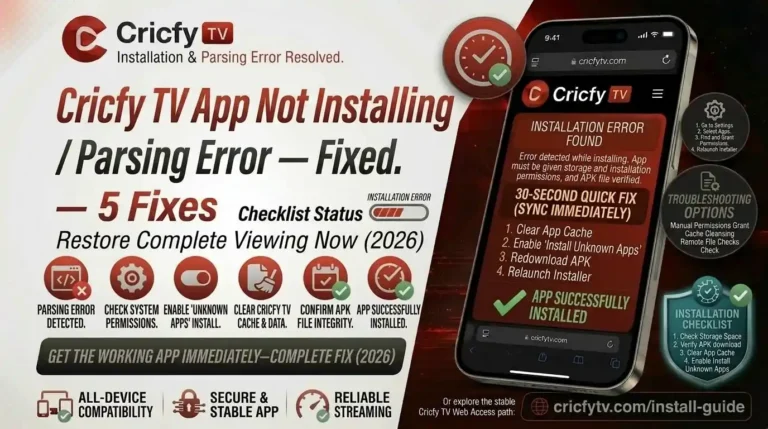
If Android says “there was a problem parsing the package,” your device is likely running Android 4.x or you downloaded a corrupted file. Re-download from cricfyapp.pk and try again. For a full troubleshooting guide, see Cricfy TV not installing / parsing error fix.
For platform-specific installation guides, use these resources:
How to Update from an Older Cricfy TV Version to v7.2
Updating Cricfy TV is basically the same process as a fresh install. You do not need to uninstall the old version first — Android will overwrite it as long as the APK is signed by the same developer key.
- Download the v7.2 APK. Get the latest file from cricfyapp.pk. Do not tap Update from an unknown notification or pop-up inside a sketchy website.
- Run the APK installer. Tap the downloaded file. Android will recognize it as an update to an existing app and show an “Update” button instead of “Install.”
- Tap Update. The update installs over your existing version. Your settings (if any) carry across. The process takes under 30 seconds.
- Reopen Cricfy TV. If you were on v6.x, the new interface will look quite different. The Cricfy Live TV guide has screenshots of the new home screen to help you orient yourself.
If the update fails with an error, try uninstalling the old version first, then installing v7.2 fresh. See Cricfy TV update failed fix for the full troubleshooting walkthrough.
Device Compatibility
Cricfy TV v7.2 runs on a wide range of devices. Here is the full compatibility picture.
| Device Type | Compatible? | Notes |
|---|---|---|
| Android Smartphone | Yes (Android 5.0+) | Primary platform. Full feature support. |
| Android Tablet | Yes | Side-drawer navigation scales well on larger screens. |
| Android TV / Google TV | Yes (sideload) | See Android TV guide. |
| Amazon Firestick | Yes (sideload) | See Firestick guide. |
| LG WebOS Smart TV | Via Emulator | See LG WebOS guide. |
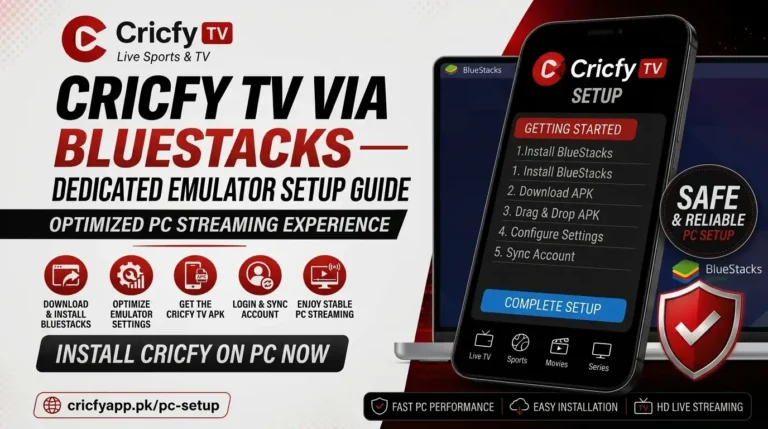
| Windows PC / Laptop | Via Bluestacks | See Bluestacks guide. |
| Mac | Via Bluestacks / Waydroid | See Bluestacks setup guide. |
| iPhone / iOS | Via AltStore sideload | See iOS AltStore guide. |
| Chromecast | Limited | See Chromecast troubleshooting. |
Android 15 compatibility was fully resolved in v7.2. Users on Android 14 and below have had stable support since v7.0. If you were experiencing crashes on Android 14 or 15, update to v7.2 immediately — the fix is in this release. For additional help, see Cricfy TV crashing on Android 14 and 15 fix.
Common Issues and Quick Fixes in Cricfy TV v7.2
Even on the latest version, you might run into a hiccup or two. Here are the most common ones and how to deal with them fast.
Channels Not Loading or Black Screen
Open the Multiple Links Available panel and switch to a different stream source. If all links are down, the channel feed may be temporarily offline. Check the official Telegram channel for a server status update. Full guide: Cricfy TV channels not loading / black screen fix.
Buffering or Slow Streams
Enable Low Quality mode from the side menu to reduce bandwidth demand. Also close background apps and switch from mobile data to Wi-Fi if possible. Full guide: Cricfy TV buffering fix.
Unexpected Error on Launch
Clear the app cache, force stop, and reopen. If the error persists, uninstall and reinstall v7.2. Full guide: Cricfy TV unexpected error fix.
VPN Detected Error
Some stream sources block VPN exit nodes. Try switching to a different VPN server location or temporarily disable your VPN and use a direct connection. Full guide: Cricfy TV VPN detected error fix.
Audio Not Working
Switch between available stream links in the Multiple Links panel. Some sources are video-only or carry a commentary mismatch. Full guide: Cricfy TV audio not working / no sound fix.
Date and Time Error
Set your device date and time to Automatic in your system settings. Cricfy TV validates timestamps against server time. A manual date/time setting that is off by more than a few minutes can trigger authentication errors. Full guide: Cricfy TV date/time error fix.
App Not Installing / Parsing Error
Delete the partially downloaded APK, re-download from cricfyapp.pk, and make sure “Unknown sources” is allowed. Full guide: Cricfy TV not installing / parsing error fix.
Cricfy TV Not Working at All
If the app opens but nothing functions, the most likely cause is a corrupted install or a version mismatch. Uninstall fully, download v7.2 fresh from cricfyapp.pk, and reinstall. Full guide: Cricfy TV not working fix.
Frequently Asked Questions
What is the latest version of Cricfy TV?
The latest stable version is Cricfy TV v7.2, released in September 2026. It is the recommended build for all users and brings full Android 15 compatibility along with enhanced server failover.
Is Cricfy TV v7.2 free to use?
Yes. Cricfy TV is completely free. There is no subscription, no trial period, and no premium tier. You download the APK, install it, and watch without paying anything.
Does Cricfy TV work outside Pakistan?
Yes. Cricfy TV is a global app. Users in India, the UK, the USA, the Middle East, Australia, Africa, and Southeast Asia all use it actively. The channel library covers international broadcasters across all of these regions. Some stream sources may be geo-restricted by your ISP; in those cases, a VPN can help.
Is Cricfy TV available on the Google Play Store?
No. Cricfy TV is not on the Google Play Store. It is available only as an APK sideload from the official website at cricfyapp.pk. Always download from a trusted source to avoid modified or malware-laced copies.
Can I use Cricfy TV on my iPhone?
Cricfy TV is an Android app. iOS users can sideload it using AltStore, but the process is more complex than the Android install. See the iOS AltStore sideload guide for step-by-step instructions.
What is the Multiple Links Available feature in v7.1 and v7.2?
When Cricfy TV has more than one stream source for a live event, the Multiple Links Available panel shows all of them in one place. You can see the source name and, where available, an AQ or HD quality label before you open the stream. This makes switching between sources much faster than it was in v6.x.
Do I need to uninstall the old version before updating to v7.2?
No. Simply download the v7.2 APK and tap Install. Android will detect the existing app and offer an Update option instead. Your data carries across. Only uninstall the old version if the update process throws an error.
Does Cricfy TV support Chromecast?
Chromecast support is limited in the current version. Some streams cast successfully while others do not. See the Chromecast not working guide for the best available workarounds.
How often does Cricfy TV release new versions?
Cricfy TV typically releases an update every 4 to 8 weeks. Major feature releases (like v7.0 and v7.1) come a few times a year. Stability and compatibility patches (like v7.2) often follow a major release within 4 to 6 weeks. Follow the official Telegram channel to get notified the moment a new version drops.
What cricket tournaments can I watch on Cricfy TV?
Cricfy TV covers all major cricket tournaments including ICC events (T20 World Cup, ODI World Cup, Champions Trophy, World Test Championship), IPL, PSL, BBL, SA20, The Hundred, CPL, and bilateral series between all Test-playing nations. For specific event coverage, see the Cricfy Live TV guide.
Verdict: Is Cricfy TV v7.2 Worth Updating To?
Absolutely yes. If you are on v6.x, the jump to v7.2 is massive — you get a completely redesigned app, multiple stream links, quality labels, dedicated sports and category screens, and a stable player. If you are already on v7.1, the update to v7.2 is smaller but still worth doing today. The faster server failover alone will save you from a frustrating stream drop during a crucial match moment, and the Android 15 crash fix is essential if you are on a newer device.
The v7.x series as a whole represents the best Cricfy TV has ever been. It is faster, cleaner, and better at its core job — getting you to a live stream quickly and keeping it stable. Download the latest APK from cricfyapp.pk and see for yourself.
One Comment