Cricfy TV v7.1 APK: Release Notes & Download
Cricfy TV v7.1 is here. And if you are still on v6.x or any earlier build, the team has already pulled the plug on those older connections. You need v7.1 to keep watching. So let us break down everything that changed, what is new, how to download it safely, and what to do if anything goes wrong after you install it.
What’s New in Cricfy TV v7.1
Version 7.1 is not a minor patch. It is the biggest single update Cricfy TV has pushed since the v5.0 UI overhaul. The development team redesigned the core experience from the ground up, focusing on one thing: getting you to a live match faster than any previous version allowed.
Here is the top-level summary of every major change in this release.
The Cricfy TV team confirmed that all versions prior to v7.1 have been disabled on the server side. If you are still on v6.8, v6.7, or anything older, streams will stop working. v7.1 is now mandatory for all users worldwide.
Complete UI/UX Overhaul
The entire interface got a fresh coat of paint. Match cards are cleaner, navigation is faster, and the home screen now separates live, recent, and upcoming events into clear tabs. No more digging around to find what is on right now.
Multiple Links Available Panel
This is the standout addition. When Cricfy TV has more than one stream for the same event, the new Multiple Links Available panel puts all of them in one place. You can see the source name and a quality label (AQ or HD) before you even tap play. No more blind switching between servers.
AQ and HD Quality Labels
Stream quality labels now appear before playback. AQ stands for a lighter, data-friendly stream. HD is the higher-resolution option where available. You pick the right one for your connection without any guesswork.
Redesigned Side Menu
The side menu is cleaner and more organized. Quick access to Network Stream, Playlists, Scores, Floating Player, Low Quality mode, Telegram, Contact, and the Update App option — all in one tidy column.
Dedicated Sports and Categories Screens
Channel discovery is now split into two dedicated screens. The Categories screen groups content areas like Sports, News, and regional collections. The Sports screen gives sports networks their own visual grid. Much easier to find a specific channel without scrolling through everything.
Faster Cold Start
The app opens noticeably quicker on mid-range and budget Android devices. The Cricfy TV team rebuilt how the app initializes streams on launch, cutting the time between tapping the icon and seeing live content.
Improved Stream Link Refresh
Expired stream links used to mean a manual channel switch. In v7.1, the refresh system pulls new broadcast links automatically during an active match. You stay in the stream without lifting a finger.
The v7.1 UI/UX Redesign Explained
If you have used Cricfy TV before, the v7.1 interface will feel familiar but noticeably sharper. The design team focused on reducing friction — every extra tap between you and a live stream was treated as a problem to solve.
New Home Screen Layout
The home screen now leads with a live events section. You see active matches at the top, with tabs for All, Live, Recent, and Upcoming. Sport icons along the top let you filter by cricket, football, or any other supported sport instantly.
Match cards display the competition name, the two participants, and timing information in a consistent format. You know what is on, who is playing, and whether it is live or upcoming — all before you tap anything.
Multiple Links Available — The Big One
Before v7.1, if a stream went down, you either hunted for an alternative manually or gave up. The new Multiple Links Available panel changes that completely. When the same event has two or more streams, Cricfy presents them together. Some carry AQ or HD labels so you know what you are choosing. Switch streams without leaving the player.
Separated Channel Discovery
The old combined channel list is gone. Now you have two distinct views. Categories groups large collections by type — Sports, News, regional packages. The Sports screen is a dedicated visual grid for sports channels only. Both screens are faster to scan on mobile because they are built for their specific content type rather than trying to do everything at once.
Player Screen Improvements
Common viewing controls are pinned at the top of the player screen. Stream choice options stay close to the video window. If the current link breaks, you switch to another available source right there without navigating away. That alone saves minutes during a live match.
Full Feature Breakdown — Cricfy TV v7.1
Beyond the headline redesign, v7.1 ships with a solid set of core features that make it one of the most capable free live sports streaming apps on Android right now. Here is every feature that matters.
| Feature | What It Does | Status in v7.1 |
|---|---|---|
| Live Sports Streaming | Watch live cricket, football, tennis, basketball, and more in real time | Active — redesigned home screen |
| Multiple Links Panel | Choose from available streams for the same event, with quality labels | New in v7.1 |
| AQ / HD Labels | See stream quality before playback — pick data-light or higher-res | New in v7.1 |
| Live TV Channels | Hundreds of live channels across sports, news, and entertainment | Active — expanded in v7.x |
| Floating Player (PiP) | Keep video playing while you browse other parts of the app | Active |
| Chromecast Support | Cast streams to any Chromecast-compatible screen | Active |
| Custom M3U Playlist | Load your own IPTV playlist as a streaming source | Active |
| Network Stream | Enter a direct stream URL via the side menu | Active |
| Low Quality Mode | Use a lighter stream when data speed is limited | Active — side menu shortcut |
| Live Scores | In-app live cricket scores without leaving the stream | Active |
| Android TV Support | Full compatibility with Android TV and Google TV devices | Active |
| No Account Required | Download, install, and watch without creating a login | Active |
| Dark Theme | Built-in dark interface — easy on the eyes during night matches | Active |
| In-App Update Notices | Get notified about new versions from inside the app | Active — improved in v7.1 |
What Did Not Change
The fundamentals stay the same. Cricfy TV is free, needs no subscription, and requires no account to get started. The APK is lightweight at around 20–21 MB. It runs on Android 6.0 and above, needs no root access, and works on phones, tablets, and Android TV boxes without any tweaks.
Channels and Sports Coverage in v7.1
Cricfy TV covers live sports from broadcasters across Asia, Europe, the Middle East, and beyond. The channel list is one of the widest available on any free streaming app for Android. Here is what you can realistically expect to find.
Cricket Channels
Cricket is the core of Cricfy TV and the channel lineup reflects that. The app carries streams from major cricket broadcasters including Star Sports, Sony Sports, Sony Ten, PTV Sports, Ten Sports, Willow TV, Sky Sports Cricket, and regional sports networks. International fixtures — Test matches, ODIs, T20Is, and domestic leagues — appear on the live events screen as soon as they go live.
Tournaments like the ICC World Cup, ICC Champions Trophy, Asia Cup, and domestic leagues like PSL all show up in the live events feed.
Football Channels
Football coverage includes European leagues, international competitions, and cup matches. beIN Sports, ESPN, Eurosport, and regional football channels appear in the Sports categories section. The UEFA Champions League and the FIFA World Cup are both supported when they are in season.
Other Sports
Beyond cricket and football, Cricfy TV streams tennis Grand Slams, Formula 1, basketball, boxing, and more through its general sports channels. The dedicated Sports screen in v7.1 makes finding these channels significantly faster than in previous versions.
News and Entertainment Channels
The Categories screen in v7.1 also covers news channels and entertainment packages. This goes beyond sports — you can find international news networks and regional TV channels grouped under their respective categories.
Cricfy TV is not a Pakistan-only app. Viewers in the UK, USA, Canada, the Middle East, South Asia, Australia, and Europe all use it to watch live cricket and sports that are either geo-restricted in their country or behind expensive pay-TV subscriptions. Check out our guide on watching Cricfy TV abroad if you are outside your home region.
Device Compatibility — What Works with v7.1
One of the strongest points about Cricfy TV v7.1 is how broad its device support is. You are not limited to a flagship phone. Budget devices, older Android versions, and smart TV setups all have a path to working streams.
| Device Type | Supported | Notes |
|---|---|---|
| Android Phone / Tablet | Yes | Android 6.0 and above. No root needed. |
| Android TV / Google TV | Yes | Install APK via file manager. D-pad navigation supported. |
| Amazon Fire Stick | Yes | Sideload via Downloader app. See our Fire Stick guide. |
| PC / Windows (Emulator) | Yes | Use BlueStacks or similar. See our PC setup guide. |
| Windows 11 | Yes | Via WSA or BlueStacks. Full guide at Cricfy TV for Windows 11. |
| Smart TV (Samsung / LG) | Partial | Use Chromecast to cast from phone. Direct APK install not supported on Tizen or webOS. |
| Chromecast | Yes | Built-in cast support from within the app. |
| Laptop | Yes | Android emulator required. See Cricfy TV on laptop guide. |
| iPhone / iOS | Limited | No official iOS APK. AltStore sideload method available. iOS sideload guide here. |
| Roku | Via casting | Cast from Android phone using Screen Mirror. Full Roku guide here. |
Android Version Notes
Cricfy TV v7.1 requires Android 6.0 (Marshmallow) or higher. Android 14 and Android 15 are both supported. If you were experiencing crashes on Android 14 or 15, the v7.x series addressed those compatibility issues. See our dedicated Android 14/15 crash fix guide if problems persist.
How to Download and Install Cricfy TV v7.1 APK
Because Cricfy TV is not on the Google Play Store — Google’s content policies block apps that stream broadcast content without territory-by-territory licensing — you install it via APK sideloading. It sounds more complicated than it is. Three steps and you are done.
Only download the Cricfy TV APK from the official Cricfy source or from cricfyapp.pk. Third-party mirrors frequently distribute modified APKs that may contain adware or tracking software. Verify the file size is in the 20–22 MB range before installing.
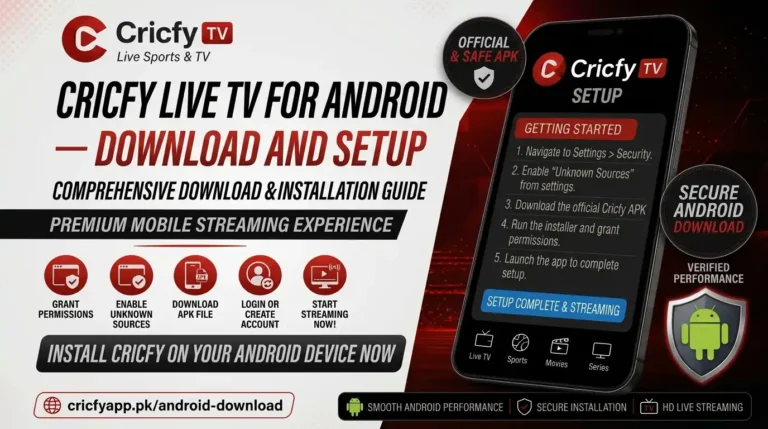
- Enable Unknown Sources — Go to your Android Settings, then Security or Privacy, and toggle on the permission to install apps from unknown sources. On Android 8 and above this is a per-app toggle — grant it only to your browser or file manager for this install.
- Download the APK — Visit the official Cricfy TV download page at cricfyapp.pk or the official Telegram channel and tap the v7.1 download link. The file is around 20.95 MB and downloads in seconds on any decent connection.
- Install the File — Open your device’s file manager, go to Downloads, and tap the Cricfy TV APK. Android will show an install prompt. Tap Install and wait for it to finish. No extra configuration needed.
- Open and Watch — Launch Cricfy TV from your app drawer. The new v7.1 home screen loads directly into the live events view. Tap any match to see available streams.
Installing on Android TV / Fire Stick
The process is slightly different on Android TV boxes and Amazon Fire Stick because you cannot tap a browser link the same way. Use the Downloader app to enter the direct APK URL, download the file, and install it from there. The full process is in our Fire Stick installation guide and Android TV guide.
Verifying Your Download
Before installing, confirm the APK file is approximately 20–22 MB. A file significantly smaller may be corrupted or a fake. A file significantly larger may carry unwanted code. When in doubt, delete and re-download from the official source.
Updating from an Older Version to v7.1
If you are on any version older than v7.1 — whether that is v6.8, v6.7, v6.6, or anything in the v5.x series — here is what you need to know about updating.
Do Older Versions Still Work?
No. The Cricfy TV team confirmed that all previous versions have been disabled on the server side. Streams on v6.x and below will simply not connect. You need v7.1 to get back to working streams.
Will My Settings Carry Over?
In most cases, yes. Installing v7.1 over an existing Cricfy TV installation should retain your playlist preferences and basic settings. However, because v7.1 is a complete UI overhaul, some layout preferences from older versions do not apply to the new interface. Expect a slightly fresh start on the home screen layout.
How to Update Without Issues
Download the v7.1 APK from the official source. Do not uninstall your current version first unless you specifically want to clear all data. Tap the downloaded APK and choose Install — Android will recognize this as an update to the existing app and install over the top cleanly.
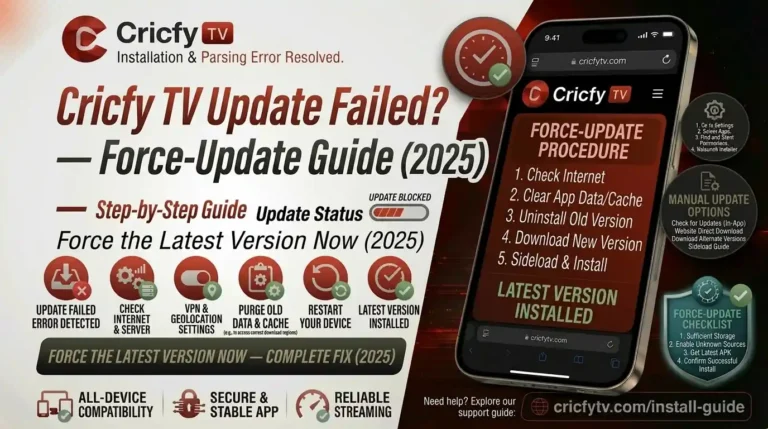
If the update fails partway through, check our update failed fix guide for solutions. A common cause is insufficient storage — make sure you have at least 50 MB of free space before updating.
Looking for a specific older build for testing or compatibility reasons? Some previous releases are documented in our archive. But remember — older versions no longer connect to Cricfy servers. The archive is for reference only.
Common Issues After Installing v7.1 and How to Fix Them
Most Cricfy TV issues fall into one of a handful of categories. Here is a quick reference for the most common problems users report after a fresh install or update to v7.1.
App Not Installing — Parsing Error
A parsing error on install almost always means the APK file is corrupted or you downloaded it from an unofficial source. Delete the file, re-download from the official source, and try again. Also make sure unknown sources is enabled for the browser or file manager you used to download it. Full solutions in our APK not installing guide.
Unexpected Error on Launch
If you see an unexpected error immediately after opening the app, it usually means a server-side issue or an expired connection token. Force close the app, wait 30 seconds, and reopen. If the error persists, check our unexpected error fix page.
Channels Not Loading or Black Screen
A black screen where the stream should be usually means the stream link has expired or the server is temporarily overloaded. Use the Multiple Links Available panel in v7.1 to switch to a different stream for the same event. More solutions in our black screen fix guide.
Buffering During Live Matches
Buffering is almost always a network or stream quality issue. Switch to the AQ (lower quality) stream in the Multiple Links panel, or enable Low Quality Mode from the side menu. A VPN can sometimes improve routing to stream servers — see our best VPN for Cricfy TV guide. Detailed fixes in the buffering fix guide.
No Sound / Audio Not Working
Audio issues are less common but they do happen. Check that your device volume is up, the player is not muted, and try switching to a different stream link from the Multiple Links panel. Our no sound fix guide covers every scenario.
VPN Detected Error
Some stream sources flag VPN traffic. If you see a VPN error, disconnect from your VPN, or switch to a VPN server in a different location. Some VPNs work better with Cricfy TV than others — our VPN detected error guide lists tested solutions.
Harmful App Warning on Android
Android sometimes shows a “harmful app” warning when you install an APK from outside the Play Store. This is a generic Google Play Protect warning that applies to all sideloaded apps, not a specific flag against Cricfy TV. You can bypass it by tapping “Install anyway” after confirming your download came from the official source. Read our harmful app blocked guide for the full explanation.
App Crashing on Android 14 or 15
The v7.x series fixed most Android 14 and 15 compatibility crashes. If you are still experiencing crashes after installing v7.1, check our Android 14/15 crash fix guide for device-specific workarounds.
Cricfy TV Version History — Where v7.1 Fits In
To understand how significant v7.1 is, it helps to see where it sits in the full version timeline. Each major release brought a meaningful change to the app’s core experience.
Full UI/UX redesign. Multiple Links Available panel. AQ/HD quality labels. New Sports and Categories screens. Redesigned side menu. Faster cold start. Mandatory update — older versions disabled.
Stability improvements across the board. Improved Chromecast reliability. Server refresh fixes during high-traffic events. The last v6.x release before the v7 overhaul.
View v6.8 NotesExpanded channel list. Improved stream server switching. Android 14 compatibility patches introduced. Picture-in-picture improvements.
View v6.7 NotesBug fixes for stream link expiry. Improved low-quality mode. Better handling of concurrent users during major match events.
View v6.6 NotesFor the full archive going back to v4.9, visit our Cricfy Live TV homepage where every version is documented.
Frequently Asked Questions — Cricfy TV v7.1
Is Cricfy TV v7.1 free to download and use?
Yes. Cricfy TV v7.1 is completely free. There is no subscription fee, no registration required, and no payment wall. You download the APK, install it, and watch. The app is funded through in-app advertising.
Why is Cricfy TV not on Google Play Store?
Google’s Play Store policies prohibit apps that stream broadcast content without verified territory-by-territory licensing agreements. Because Cricfy TV aggregates streams from broadcasters like Star Sports, Sky Sports, and Sony Sports without holding those distribution licenses directly, it falls outside Google’s permitted content categories. This is why you install it as an APK sideload rather than a Play Store download.
Do I need to uninstall the old version before installing v7.1?
No. You can install v7.1 directly over any existing Cricfy TV installation. Android handles it as an update. Only uninstall first if you want to completely clear all app data and start fresh. If you do uninstall first, note that any saved playlist preferences will be lost.
What is the Multiple Links Available feature?
Multiple Links Available is a new panel introduced in v7.1. When Cricfy TV has more than one stream for the same live event, it presents all available options together on one screen. Each stream may carry an AQ (lower data usage) or HD label where the quality information is available. You pick the stream that suits your connection before playback starts, or switch during a match if the current link becomes unstable.
Does Cricfy TV v7.1 work outside Pakistan?
Yes. Cricfy TV works worldwide. Users in the UK, USA, Canada, Australia, UAE, India, and across Europe and Southeast Asia all use the app. Some stream sources may be geo-restricted depending on your location. If you encounter region-blocked streams, a VPN can help. See our guide to watching Cricfy TV abroad and our best VPN for Cricfy TV recommendations.
Can I watch Cricfy TV on a Smart TV?
It depends on the TV. Android TV and Google TV devices support direct APK installation. Samsung (Tizen) and LG (webOS) TVs do not support APK sideloading natively, but you can cast from your Android phone using Chromecast, Miracast, or a streaming dongle. Our guides cover Smart TV setup, Roku and Samsung, and LG webOS TV specifically.
What is the difference between AQ and HD streams in v7.1?
AQ streams use less data and are suitable for slower connections or when you want to reduce data usage. HD streams offer higher resolution where the original broadcast source supports it. Not every event will have both options — availability depends on which stream sources Cricfy TV has for that specific match. Use AQ on mobile data and HD on Wi-Fi when available.
Is there a newer version than v7.1 already available?
The Cricfy TV team releases updates through their official Telegram channel. Check the in-app Update App option in the side menu for the most current release. Our v7.2 changelog page covers the next release if it is already live.
Can I use a custom M3U playlist with Cricfy TV v7.1?
Yes. Cricfy TV v7.1 supports custom M3U playlists through the Playlists option in the side menu. This lets you add your own IPTV playlist as a streaming source alongside the app’s built-in channel list. Enter the M3U URL, save it, and it appears as a selectable source inside the app.
What should I do if streams stop working after the v7.1 update?
First, use the Multiple Links Available panel to try a different stream source for the same event. If all streams fail, the issue may be temporary server load — especially during major match events. Check the official Telegram channel for server status updates. Our Cricfy TV down guide covers what to do when the service itself is experiencing issues.
Bottom Line — Should You Update to v7.1?
Yes, and you do not really have a choice. Cricfy TV v7.1 is mandatory. The team has shut down all server connections for older versions. If you want working streams, you need this update.
But beyond the forced update, v7.1 is genuinely the best version of Cricfy TV ever released. The Multiple Links panel alone makes match day less frustrating. The redesigned interface is cleaner and faster. AQ and HD labels take the guesswork out of choosing a stream.
Go download it from cricfyapp.pk, install it in three steps, and you will be watching live cricket, football, and more within minutes. If you run into any problems, every common issue has a dedicated fix guide linked throughout this page.
Sources & References
- Official Cricfy TV Telegram Channel — t.me/cricfypro
- CricFy TV Official Website — cricfytv.net
- International Cricket Council (ICC) — icc-cricket.com
- Android APK — Wikipedia
- Google Android: Installing Apps from Unknown Sources — developer.android.com
- Cricfy Live TV Homepage — cricfyapp.pk
- Cricfy TV v6.8 Release Notes — cricfyapp.pk