Cricfy TV in the UAE & Gulf: Works? Legal? ILT20 & Asia Cup
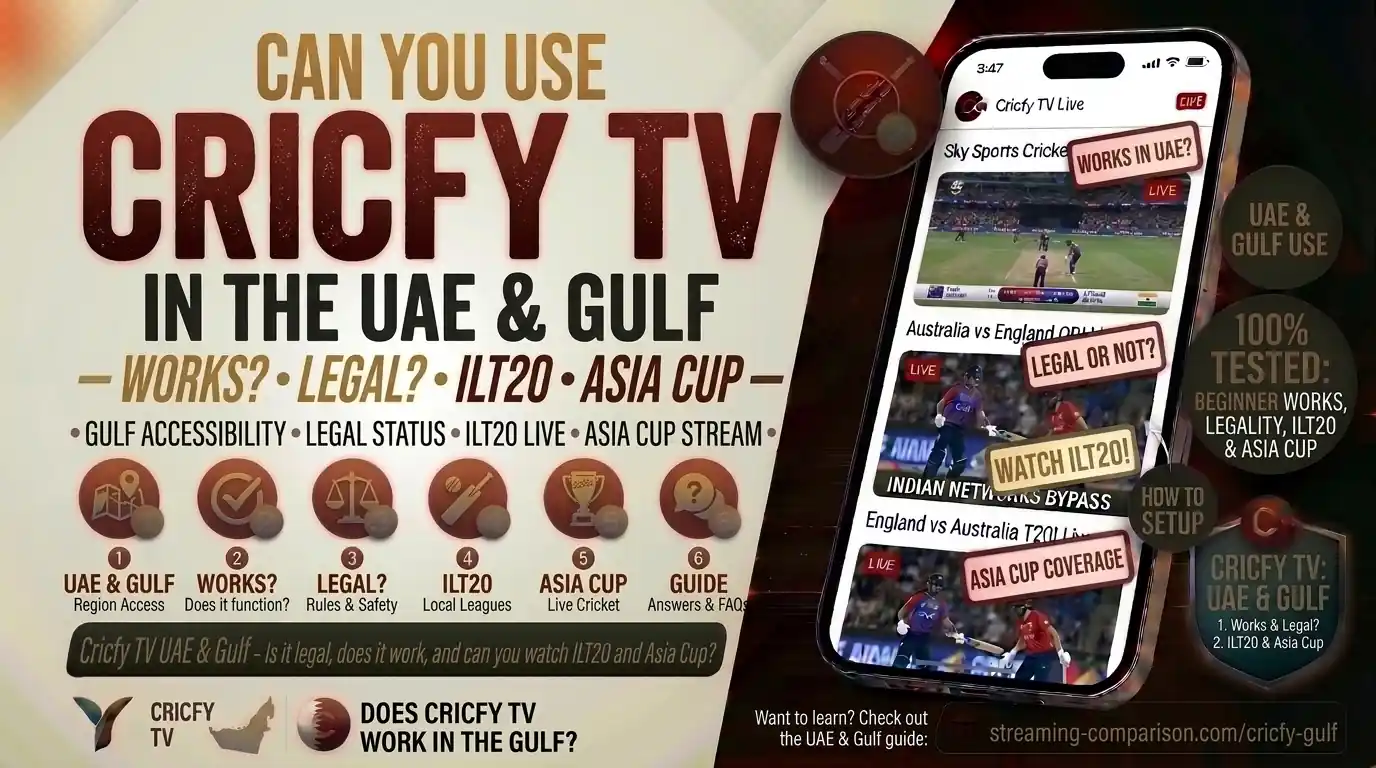
You live or work in the UAE. You love cricket. And you’ve heard your friends back home rave about Cricfy TV. So the natural question hits you: does Cricfy TV actually work here in the Gulf — and is it even legal to use? Let’s break it all down, honestly and completely.
What Is Cricfy TV?
Cricfy TV is a free live sports streaming app available as an Android APK. It is not on the Google Play Store — you sideload it directly onto your device. The app aggregates hundreds of live TV channels focused on cricket, football, basketball, and other sports, all in one place and completely free.
Think of it as a universal remote for the world’s sports broadcasts. Instead of paying for a cable bundle or subscribing to multiple streaming services, Cricfy pulls in live feeds from channels broadcasting across different regions — PTV Sports, Star Sports, Sky Sports Cricket, A Sports, Geo Super, beIN Sports, and many more — and puts them right in front of you.
The app does not host its own content. It acts as an aggregator, collecting third-party stream links and displaying them inside a clean player interface. That distinction matters a lot when we talk about legality, which we will cover in detail shortly.
Cricfy TV has a large user base across South Asia, the Middle East, the United Kingdom, North America, and beyond. The South Asian expatriate community in the Gulf — which numbers over 10 million across the GCC alone — represents one of its most active audiences globally.
Does Cricfy TV Work in the UAE and Gulf Countries?
Short answer: yes, it does work — but not perfectly without a bit of setup.
Cricfy TV is an APK file, meaning you install it like any other Android app outside the Play Store. The UAE and other Gulf countries do not have a nationwide block specifically targeting Cricfy TV at the app level. So once you have the APK installed, the app opens fine.
The real challenge is at the stream level. Individual stream links inside the app pull from broadcasting servers located across the world. Some of those servers get geo-blocked or rate-limited inside the UAE by the Telecommunications and Digital Government Regulatory Authority (TDRA), formerly known as the TRA. This means certain streams inside the app may not load, may buffer heavily, or may cut out during peak usage times like a live IPL or ICC match.
What Works Well Without a VPN
Streams that originate from channels with a global broadcast mandate — channels that are freely available in multiple territories simultaneously — tend to load without issue. Many Pakistan-based channels like PTV Sports and A Sports stream fine in the Gulf because they carry no UAE-specific geo-restriction on their feed.
What May Require Extra Steps
Streams tied to exclusive UAE rights holders — for instance, certain Abu Dhabi Sports or Dubai Sports feeds — can be unpredictable. The same goes for Indian cricket channels like Star Sports and JioHotstar feed aggregations during major IPL windows, when ISPs in the UAE implement throttling or stream-level blocks based on broadcaster requests.
If a stream is not loading, switch to a different channel link for the same match inside the app. Cricfy TV usually provides multiple backup links per match. Tap the stream selector icon at the top of the player and try another source.
Gulf Countries — Country-by-Country
| Country | App Loads? | Stream Stability | VPN Needed? |
|---|---|---|---|
| UAE | Yes | Moderate — some streams blocked | Often helpful |
| Saudi Arabia | Yes | Moderate — ISP throttling possible | Sometimes |
| Qatar | Yes | Good for most streams | Rarely needed |
| Kuwait | Yes | Good for most streams | Rarely needed |
| Bahrain | Yes | Generally stable | Rarely needed |
| Oman | Yes | Generally stable | Rarely needed |
Is Cricfy TV Legal in the UAE and Gulf Countries?
This is the most important section of this post, so read it carefully.
Cricfy TV does not hold any official broadcasting rights from the International Cricket Council (ICC), the Emirates Cricket Board (ECB), or any national cricket board. The app aggregates stream links from channels whose licensed content is meant for specific territories — and by making those streams accessible globally, it operates in a legal grey area.
The UAE Legal Framework
The UAE takes copyright and intellectual property rights very seriously. Federal Law No. 7 of 2002 on Copyrights and Neighbouring Rights, alongside the UAE Federal Cybercrime Law (Federal Law No. 5 of 2012, amended in 2016), forms the legal backbone here. Under these laws, distributing or facilitating access to unlicensed copyrighted content is a punishable offence.
Courts in the UAE have already convicted individuals for running piracy operations — including an Abu Dhabi case where a man was jailed for illegally uploading and streaming content from OSN, the region’s major pay-TV provider. Authorities have adopted extreme vigilance toward all forms of television piracy, and broadcasting companies like OSN and beIN Sports actively collaborate with law enforcement to identify and block piracy channels.
UAE enforcement has historically focused on operators and distributors of pirated content — the people running the piracy servers, selling illegal IPTV subscriptions, and operating pirate websites. Individual end-users consuming streams have faced far less legal action, though the law technically applies to them too.
This is not legal advice. If you are concerned about compliance, use an officially licensed service.
VPN Use in the UAE — An Extra Layer of Risk
Some users run Cricfy TV with a VPN to access geo-blocked streams. The 2016 UAE Cybercrime Law amendment makes it illegal to use a VPN to commit a crime — including accessing unlicensed content. The fine for such violations can reach up to AED 2 million. The TDRA later clarified that legitimate VPN use for business purposes is not targeted, but using a VPN specifically to bypass content restrictions raises your risk profile considerably.
We cover VPN use in greater detail in the dedicated section below.
Other Gulf Countries
Saudi Arabia, Qatar, Kuwait, Bahrain, and Oman each have their own copyright and cybercrime legislation. Saudi Arabia has its own history with broadcasting rights disputes — beIN Sports lost its Saudi broadcast licence in 2018 during the GCC diplomatic crisis, illustrating how seriously Gulf states treat media licensing. While personal-use enforcement targeting individual streaming app users is rare across the Gulf, the legal framework in every GCC country does classify unlicensed stream access as a potential violation of intellectual property law.
ILT20 Season 5 (2026) on Cricfy TV
The DP World International League T20 (ILT20) Season 5 runs from 22 November to 20 December 2026. The tournament features six franchises — Abu Dhabi Knight Riders, Desert Vipers, Dubai Capitals, Gulf Giants, MI Emirates, and Sharjah Warriorz — competing across 34 matches in the UAE.
ILT20 is administered by the Emirates Cricket Board, which became the first Associate member board to have a franchise league granted official ICC T20 status. That is a big deal — it means every match, every wicket, and every run now counts in official T20 statistics on ESPNcricinfo.
Official Broadcasters for ILT20 Season 5
| Region / Country | Official TV Channel | Official Streaming |
|---|---|---|
| UAE | Abu Dhabi Sports TV, Dubai Sports TV | Myco |
| Middle East & North Africa | Abu Dhabi Sports, Dubai Sports | Myco |
| India | Zee Cinema, Zee Anmol Cinema | ZEE5 |
| Pakistan | PTV Sports, Geo Super, A Sports | Tapmad |
| UK & Europe | BT Sport, Zee TV | Sky Sports |
| North America | Willow TV | Willow TV app |
| Australia | Fox Cricket | Kayo Sports |
| Bangladesh | Nagorik TV, T Sports | Toffee |
| Afghanistan | Ariana Television | Ariana TV online |
Can You Watch ILT20 2026 on Cricfy TV in the UAE?
Yes — channels that officially broadcast ILT20, like PTV Sports and A Sports from Pakistan, appear inside the Cricfy TV app. So in practice, you can follow the tournament through those channel feeds. That said, the official and most reliable way to watch ILT20 in the UAE is through Abu Dhabi Sports TV or the Myco streaming app, both of which hold legitimate broadcast rights for the MENA region.
Dates: 22 November – 20 December 2026. Venue: Dubai International Cricket Stadium and other UAE grounds. Total matches: 34. Six teams compete, with the Desert Vipers entering as defending champions from Season 4.
Zee Entertainment holds global media rights for ILT20 through 2032 — a deal worth $120 million. That means ZEE5 and its network of channels across 15 linear TV platforms remain the primary global broadcast partners, supplemented by regional rights holders like Abu Dhabi Sports in the MENA area.
Asia Cup 2027 on Cricfy TV
The Asia Cup 2027 brings together the top cricket nations across Asia in the ODI format. Bangladesh hosts the tournament, with matches expected to run from 18 June to 4 July 2027. The final takes place at the Sher-e-Bangla National Stadium in Mirpur, Dhaka.
The Asian Cricket Council (ACC) confirmed Bangladesh as the official host following its rotation policy. The 50-over ODI format aligns with the ICC Men’s Cricket World Cup 2027 scheduled for later that same year, giving teams crucial preparation time in the format that matters most.
Asia Cup 2027 — Key Details
India vs Pakistan at Asia Cup 2027
The India vs Pakistan clash remains the marquee encounter of every Asia Cup. Early reports suggest the fixture will fall around 20 June 2027, though the full ACC schedule is yet to be officially released. India enters as defending champions. The same India–Pakistan travel restrictions that required the 2025 Asia Cup to be held in the UAE as a neutral venue may come into play again, with the ACC exploring neutral-venue options for specific matches.
Can You Watch Asia Cup 2027 on Cricfy TV?
When the tournament kicks off in June 2027, Cricfy TV will very likely carry live feeds through Pakistani and Indian sports channels that hold regional broadcast rights. PTV Sports, Geo Super, A Sports (for Pakistani audiences), and India-focused channels via Zee’s network have historically been visible inside the app. So yes — you will almost certainly be able to follow the Asia Cup on Cricfy TV for Asia Cup 2027.
Official streaming for South Asian audiences will be on platforms like ZEE5. In Bangladesh, Toffee, T Sports, and Nagorik TV handle local rights. For UAE-based viewers, the official broadcaster lineup for Asia Cup 2027 has not yet been confirmed — check back as the tournament approaches.
Sports Channels Available for Gulf Viewers Inside Cricfy TV
One of the strongest reasons Gulf-based users keep coming back to Cricfy TV is the sheer breadth of channels. Here is what you can typically access through the app as a viewer in the UAE or other GCC countries.
| Channel | Country of Origin | What It Covers | Reliability in Gulf |
|---|---|---|---|
| PTV Sports | Pakistan | Pakistan cricket, PSL, ICC events | High |
| Geo Super | Pakistan | Pakistan cricket, football | High |
| A Sports | Pakistan | Pakistan cricket, PSL, international | High |
| Ten Sports | India/Pakistan | Cricket, football, WWE | Moderate |
| Star Sports 1 & HD | India | India cricket, IPL, ICC events | Moderate — may buffer |
| Sky Sports Cricket | UK | England cricket, The Hundred | Moderate |
| Fox Cricket | Australia | Australia cricket, Big Bash | Moderate |
| Willow TV | USA | North America cricket rights | Varies |
| CricLife | UAE/MENA | Cricket-focused MENA coverage | Good in MENA |
| T Sports | Bangladesh | Bangladesh cricket, international | Good |
Beyond cricket, Cricfy TV also carries beIN Sports feeds for football fans in the Gulf, covering the UEFA Champions League, Premier League highlights, and local Gulf league football. For South Asian expats who follow both cricket and football, this makes the app particularly compelling.
How to Install Cricfy TV in the UAE and Gulf Countries
Installing Cricfy TV in the Gulf follows the same process as anywhere else. The key step is enabling sideloading on your Android device.
- Enable Unknown Sources. On your Android device, go to Settings > Security (or Privacy on newer devices) and enable”Install unknown apps” for your browser or file manager. On Android 13 and above, this prompt appears automatically when you try to install an APK.
- Download the Latest APK. Visit the official Cricfy TV website and download the latest APK. As of late 2026, the current version is v7.2. Always download from the official source to avoid modified or malware-laced copies. See the v7.2 changelog for what is new.
- Install the APK. Open the downloaded file from your notifications panel or file manager and tap Install. The process takes about 20 seconds. No login or account creation is needed.
- Open the App and Browse Channels. Launch Cricfy TV, let it update its channel list (this takes a few seconds on first launch), then browse by sport or search for a specific channel or tournament.
- Switch Streams if One Buffers. Inside any live match, tap the stream selector to switch between available source links. Gulf users often find the second or third listed source more stable than the first.
Cricfy TV works on Android smartphones, Android TV, Amazon Fire TV Stick, and Windows PCs via an Android emulator. For Fire TV Stick setup, check the guide on Cricfy TV on Firestick. For Smart TV installation, see Cricfy TV on Smart TV.
VPN Use in the UAE and Gulf — What You Must Know Before Using It with Cricfy TV
A VPN is the most common suggestion you will find online for fixing geo-blocked streams inside Cricfy TV. It routes your traffic through a server in another country, making it appear as though you are browsing from that location. That can unlock streams blocked within the UAE’s network.
But in the UAE, VPN use sits in legally sensitive territory. Here is what the law actually says.
The UAE’s VPN Law — What It Actually Covers
The 2016 amendment to the UAE Cybercrime Law (Federal Law No. 12 of 2016) makes it illegal to use a VPN to commit a crime. The fine can reach up to AED 2 million. The TDRA subsequently clarified that legitimate business VPN use — such as remote access to a company network — is not the target of this law.
However, using a VPN specifically to access geo-blocked unlicensed streaming content is a different matter. If the underlying activity — accessing unlicensed streams — is itself a potential copyright violation, then using a VPN to facilitate that activity compounds your legal exposure.
Using a VPN in the UAE is not automatically illegal. Using one for legitimate purposes — business remote access, secure browsing on public Wi-Fi — is acceptable. Using one to deliberately bypass content blocks for unlicensed streaming puts you in a legally grey zone. If you choose to use a VPN with Cricfy TV, understand the risk and use a reputable provider. We recommend reading the full guide on the best VPNs for Cricfy TV.
Other Gulf Countries and VPN Laws
Saudi Arabia, Qatar, Kuwait, Bahrain, and Oman each have their own regulations. Saudi Arabia prohibits VPN use for accessing blocked content. Qatar and Kuwait have fewer publicised enforcement cases, but both countries’ cybercrime frameworks cover unlicensed content access. As with the UAE, enforcement has focused far more on operators than on individual viewers — but the legal risk is real.
For a detailed look at the VPN detection error specific to Cricfy TV, see the Cricfy TV VPN detected error fix guide.
Common Issues in the Gulf and How to Fix Them
Gulf users run into a handful of recurring issues. Here is what causes them and how to get back to watching quickly.
Streams Not Loading or Black Screen
This is the most common complaint from UAE users. The stream URL resolves, but the player shows a black screen or spins indefinitely. The cause is almost always a geo-restriction on that specific stream’s CDN. Fix: switch to a different source link in the stream selector. If multiple sources fail, try a different channel carrying the same match. See the full channels not loading black screen fix.
Buffering During Live Matches
High-traffic cricket events — IPL, PSL, ICC events — trigger massive concurrent viewership that overwhelms certain CDN nodes. In the Gulf, this is worse during evening matches that coincide with the peak usage hours for the TDRA’s network. Fix: lower stream quality inside the app settings to 480p or 720p. That often resolves buffering entirely on a stable 10 Mbps+ connection. Full guide: Cricfy TV buffering fix.
VPN Detected Error
Some streams detect VPN traffic and refuse to load, returning a”VPN Detected” or”Access Denied” error. Fix: disconnect your VPN and try the stream on your direct connection. If that fails too, the stream itself is geo-blocked in the UAE without a VPN — in which case, switching to a Pakistan-based channel for the same match is usually the fastest solution.
App Crashes on Android 14 and 15
Android 14’s tighter APK restrictions can cause Cricfy TV to crash on launch on some devices. This is a known issue. Fix: uninstall and reinstall the latest APK version (v7.2 as of late 2026), which includes targeted stability patches for Android 14 and 15. Full details at the Android 14/15 crash fix guide.
Unexpected Errors on Opening
These usually stem from an outdated channel list or a failed server request on launch. Fix: clear the app’s cache in Android Settings, then relaunch. If the problem persists, delete and reinstall the latest APK. See the unexpected error fix guide.
Official Legal Alternatives for Cricket in the UAE and Gulf
If you want zero legal risk and guaranteed stream quality, these are the officially licensed options available in the UAE and Gulf region.
Myco is the official streaming platform for ILT20 in the MENA region. It carries Abu Dhabi Sports and Dubai Sports content, making it the go-to option for Gulf-based cricket fans who want legitimate ILT20 coverage. Free registration with some premium features.
Cricbuzz made a major move into MENA by streaming the IPL 2026 for free in the UAE and GCC. With over 300,000 daily unique viewers during peak IPL windows, it has established itself as a major legitimate free option for Gulf cricket fans.
OSN is the UAE and Middle East’s major pay-TV provider. Its sports package covers ICC events, select bilateral series, and international cricket rights for the MENA territory. The OSN Play app brings this content to mobile devices.
beIN Sports holds football rights across the Gulf (excluding Saudi Arabia, where its operations have faced restrictions). For football fans in the UAE, Qatar, Kuwait, and Bahrain, beIN is the officially licensed option for Premier League, Champions League, and more.
Free Legal Options by Country
| Country | Free Official Option | Covers |
|---|---|---|
| UAE | Cricbuzz (IPL), Myco (ILT20) | IPL, ILT20 MENA broadcast |
| All GCC | ILT20 official YouTube (non-India) | ILT20 auction events |
| All GCC | ICC.tv (selected free matches) | Some ICC associate matches |
Our Verdict: Cricfy TV in the UAE and Gulf
Cricfy TV works in the UAE and across the Gulf — the app installs fine and many streams load without any extra setup. For South Asian expats who want to follow Pakistan, India, Bangladesh, or Sri Lanka cricket without paying for multiple subscriptions, it fills a genuine gap.
But the legal picture is real. The UAE enforces copyright law actively. The focus has been on pirates and distributors, not individual viewers — but that is not a guarantee of safety. If you are risk-averse, Myco (for ILT20), Cricbuzz (for IPL), and OSN are your clean options in the region.
For the upcoming ILT20 Season 5 (November 2026) and Asia Cup 2027 (June 2027), Cricfy TV will carry live feeds through its aggregated channel list. Just go in with eyes open about what you are using and why.
For the full Cricfy TV experience, start at the Cricfy Live TV homepage or grab the latest build on the official Cricfy TV app page.
Frequently Asked Questions — Cricfy TV in UAE and Gulf
Does Cricfy TV work in Dubai specifically?
Yes. Dubai is part of the UAE, and Cricfy TV installs and runs fine on Android devices in Dubai. Stream stability depends on which source you select inside the app — switching to a Pakistan-origin channel (PTV Sports, A Sports) tends to give the most reliable feeds from Dubai.
Is Cricfy TV banned in the UAE?
Cricfy TV itself is not under a specific nationwide ban in the UAE. However, some stream links inside the app are blocked at the ISP level. The app continues to function because it offers multiple backup sources for each match.
Can I watch the ILT20 2026 for free in the UAE?
Yes — the Myco app offers official ILT20 streaming in the MENA region, with free registration. Abu Dhabi Sports TV and Dubai Sports TV carry the official free-to-air broadcast. Cricfy TV also carries streams via aggregated channels, but that is not an officially licensed route.
Can I watch the Asia Cup 2027 on Cricfy TV from Saudi Arabia?
Yes, Cricfy TV installs and operates on Android in Saudi Arabia. When Asia Cup 2027 begins in June 2027, channels like PTV Sports and A Sports inside the app will carry live feeds. Stream quality may vary — switching sources within the app addresses most issues.
Do I need a VPN to use Cricfy TV in the UAE?
Not necessarily. Many streams work directly without a VPN. Some specific streams — particularly those tied to India-exclusive rights during the IPL — may require a VPN to load. See our VPN guide for Cricfy TV for recommended options and UAE legal context.
Is Cricfy TV available on iPhone or iOS in the UAE?
Cricfy TV is an Android APK. It does not have a native iOS version. For iPhone users in the UAE, the sideload option via AltStore is documented in the iOS IPA sideload guide, but it requires more technical effort than the Android install.
What is the latest version of Cricfy TV?
As of November 2026, the latest stable release is v7.2. See the full v7.2 changelog for feature updates and stability fixes relevant to Gulf users.
Where will Asia Cup 2027 be held?
Bangladesh hosts the Asia Cup 2027 in the ODI format, with matches expected from 18 June to 4 July 2027. Venues include Sher-e-Bangla National Stadium in Mirpur (Dhaka), Zahur Ahmed Chowdhury Stadium in Chattogram, and Sylhet International Cricket Stadium. The grand final takes place in Mirpur on 4 July 2027. Official ACC confirmation of the full schedule is still pending as of late 2026.
Sources & References
- International Cricket Council (ICC) — icc-cricket.com
- Emirates Cricket Board — emiratescricket.com
- DP World ILT20 Official Site — ilt20.ae
- Asian Cricket Council — asiancricket.org
- ESPNcricinfo — espncricinfo.com
- Wikipedia — International League T20
- Wikipedia — 2026 ILT20 Season 5
- Gulf News — Dubai Police piracy crackdown
- Gulf Business — UAE VPN Law 2016
- Al Tamimi — Criminal Liabilities from IPR Infringement
- Gulf News — Cricbuzz IPL 2026 MENA streaming
- SportsDunia — ILT20 2025-26 Broadcast Guide