
Android 16 Edition · Checked October 15, 2026
Cricfy TV App for Android 16: Install It, Unlock It, Stream It
Android 16 is the most protective Android yet. It can lock sideloading behind a security mode, refuse install permissions during a phone call, and reshape apps on tablets. Here is how the Cricfy TV app gets past all of it, plus a free, virus free APK for Android 16 that you can download right on this page.
Picture this. The World Cup final starts in ten minutes, you tap the Cricfy APK on your shiny Android 16 phone, and the install switch sits there greyed out. No error. No explanation. Just a dead toggle. That exact moment is why this guide exists.
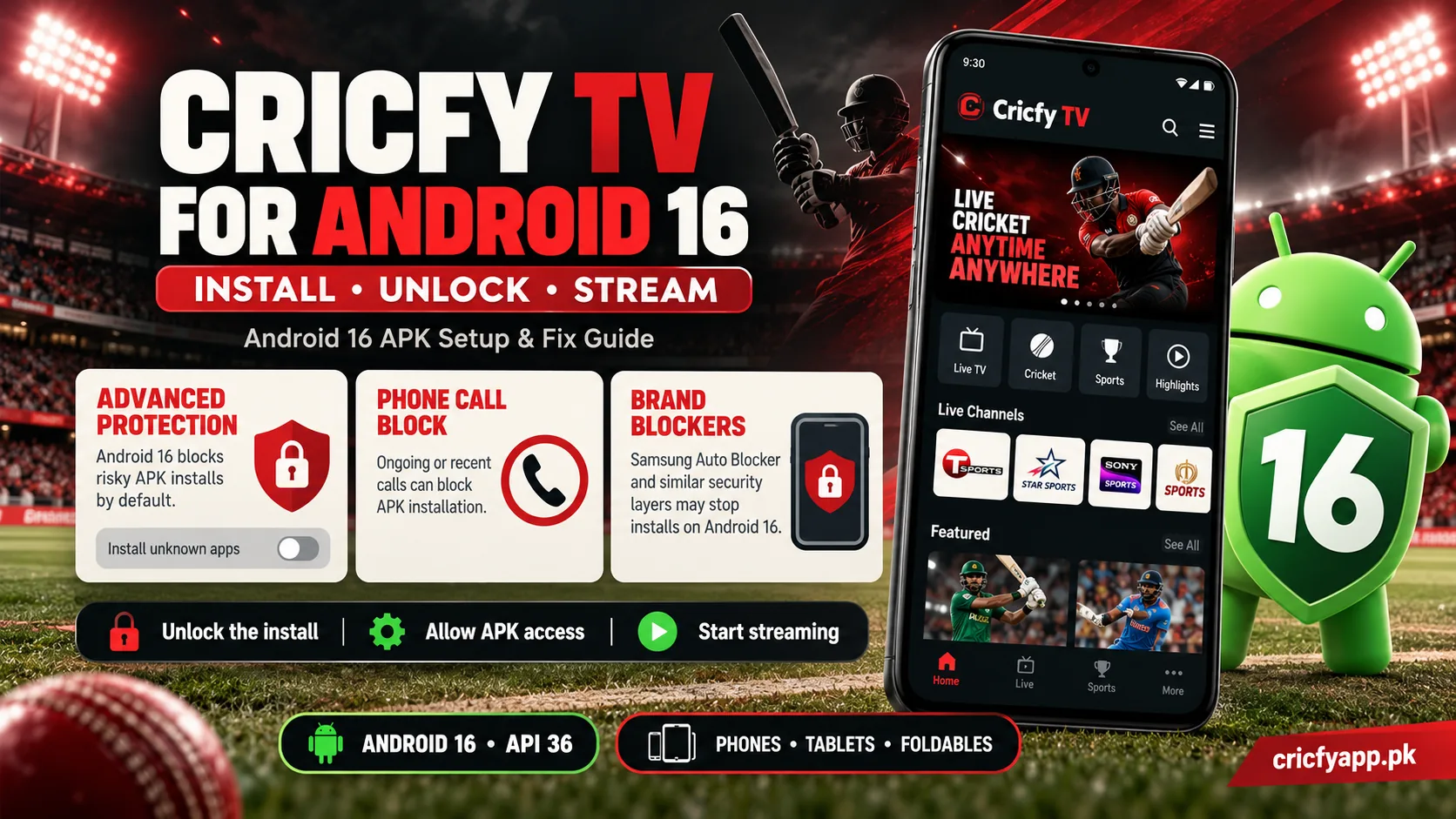
Android 16 handles sideloaded apps very differently from earlier versions. Most of the time, the Cricfy TV app installs in under a minute. However, three Android 16 features can stop it cold, and almost nobody explains them. So, rather than repeat the usual “enable unknown sources” advice, we start with the problem you actually have.
- CodenameBaklava
- API level36
- Pixel releaseJune 10, 2025
- Install floorTarget API 24
- Cricfy buildv7.2
- StatusFully supported
Start Here: Which Situation Are You In?
Different people land on this page for different reasons. Choose the line that sounds like you, and skip straight to the part that helps.
And if you only wanted a yes or no: yes, the Cricfy TV app runs on Android 16. The current v7.2 build clears Android 16’s install floor easily, and you can download it free and virus free from the buttons on this page.
The Three Locks Android 16 Puts on APK Installs
Think of Android 16 as a house with three separate locks. Any one of them can keep the Cricfy APK out. The good news is that each lock has a clear key.
Lock one: Advanced Protection
Android 16 introduced Advanced Protection, an optional security mode for people who face serious targeted attacks. As Android Authority’s look at Advanced Protection shows, the mode greys out the “Install unknown apps” switch and labels it as disabled by Advanced Protection.
The key: open Settings > Security and privacy > Advanced Protection and turn it off. Install Cricfy, then decide whether you really need the mode back on. Most cricket fans do not.
Lock two: an active phone call
Scammers love to call people and talk them into installing a “helper app.” So, Android 16 refuses to grant the install permission, or Accessibility access, while you are on a call. Android Authority reported this call protection during the Android 16 beta, and it is one of the smartest anti fraud ideas Google has shipped.
The key: hang up first. Then allow the install. If someone on the phone is pushing you to install an app right now, treat that as a red flag, even if they claim to send you Cricfy.
Lock three: your phone brand’s own blocker
Samsung’s Auto Blocker lives on in One UI 8, and Xiaomi, Oppo, and Vivo all add their own scans. These sit on top of Android itself, so they can block the APK even when Android would allow it.
The key: find your brand in the phone brand section below. Each one takes under a minute.
A Sixty Second Preflight Check
Before you tap download, run through this list. It takes a minute, and it heads off the most common failed installs on Android 16.
- You are not on a phone call or a WhatsApp call.
- Advanced Protection is off, or you never turned it on.
- Your phone has at least 150 MB of free storage.
- No older Cricfy build from another website is still installed.
- Date and time are set to automatic.
- You download from CricfyApp.pk, not a Telegram link.
That last point matters more than it looks. Mirror sites often repack APKs with adware, and Android 16’s Play Protect catches many of them, which then looks like Cricfy itself is “unsafe.” The original file avoids that confusion.
Install the Cricfy TV App on Android 16 in Six Taps
With the preflight done, the install itself is quick. You can grab the Cricfy TV app APK for Android 16 free and virus free right here, and then follow along.
- Tap the download button below. Chrome may say the file could be harmful, which it says for every APK, so tap Download anyway.
- Tap the finished file in your notifications.
- When Android says Chrome cannot install unknown apps, tap Settings.
- Flip Allow from this source on, and press back.
- Tap Install. If Play Protect offers a scan, accept it, and then continue.
- Tap Open and allow notifications for toss and match alerts.
After the install, we suggest one extra habit. Go to Settings > Apps > Special app access > Install unknown apps and switch Chrome off again. The Cricfy TV app keeps working, and your phone stays closed to surprise downloads.
Prefer a broader Android walkthrough? Our main Cricfy TV download for Android page covers every version in one place.
Android 16 on Your Phone Brand
Every big brand wraps Android 16 in its own skin, and each skin treats APKs a little differently. Here is what to expect, brand by brand.
- Samsung One UI 8
- Auto Blocker can block the APK without any message. Open Settings > Security and privacy > Auto Blocker, switch it off, install Cricfy, and then switch it back on. Repeat this whenever you install a new Cricfy build.
- Xiaomi, Redmi, POCO HyperOS 3
- HyperOS scans the file and runs a short countdown. Wait it out, and the continue button unlocks. Browser install permission sits under Settings > Privacy protection > Special permissions.
- Oppo and OnePlus ColorOS 16, OxygenOS 16
- ColorOS shows an extra “risky app” screen, so read it and tap to install anyway. OxygenOS stays closer to stock Android and usually installs without extra screens.
- Realme Realme UI 7
- Expect the same risky app warning as ColorOS, plus a screen lock check on some models.
- Vivo and iQOO OriginOS 6
- Vivo moved its phones to OriginOS for Android 16. It may ask you to confirm the install twice. Both confirmations are normal.
- Nothing, Pixel, Motorola Nothing OS 4, stock, Hello UI
- These stay near Google’s own flow. The six tap install works as written.
- Infinix and Tecno Android 16 builds
- Their Android 16 updates follow the standard Android prompt. If tapping the APK does nothing, open it from the Files by Google app instead.
Still on an older version? You will find tailored steps in our Cricfy TV for Android 15 guide and our Android 14 guide.
Watching on a Tablet or Foldable With Android 16
Here is something nobody else mentions. Android 16 changes how apps behave on big screens. According to the Android Developers blog on Android 16 orientation changes, apps built for Android 16 can no longer force portrait mode or a fixed shape on screens wider than 600dp. That covers tablets and the inner screen of foldables.
In practice, this works in your favour most of the time. The Cricfy TV app can fill a tablet in landscape and resize in split screen next to a live scorecard. However, a layout that a developer designed only for phones can sometimes look stretched.
So, if the Cricfy menus look odd on your tablet, open the app’s settings and look for Aspect ratio. Android 16 lets you choose the app’s original layout there. Phones and flip phones, by contrast, see no change at all.
Match Day Tuning for Android 16
Installing is step one. Keeping a four hour Test session running without a hiccup is step two. These tweaks make the difference.
| Setting | Where to find it | Why it helps |
|---|---|---|
| Battery: Unrestricted | Settings > Apps > Cricfy TV > Battery | Stops Android 16 from pausing the stream in the background. |
| Picture in picture | Settings > Apps > Special app access | Keeps the match in a floating window while you chat. |
| Notifications | Settings > Apps > Cricfy TV > Notifications | Brings back toss and match start alerts. |
| Data Saver off | Settings > Network and internet | Prevents throttled, blurry streams on mobile data. |
| Private DNS: dns.google | Settings > Network and internet > Private DNS | Gets around some internet provider blocks on channels. |
| Automatic time | Settings > System > Date and time | A wrong clock breaks secure stream links. |
Even with all of that, a big final can overload servers. When that happens, switch to another server inside the player first. Our buffering fix guide covers the rest.
When Something Breaks on Android 16
Find the symptom that matches yours. Each one points to the quickest fix, and then to a deeper guide if you need it.
The “Allow from this source” switch is grey.
Advanced Protection is on, or you are on a call. Turn the mode off or hang up, and try again.
Nothing happens when I tap Install on Samsung.
Auto Blocker is active. Switch it off for the install, using the Samsung steps.
Android says “App not installed.”
An older Cricfy build with a different signature is in the way, or storage is full. Uninstall the old app and retry. Our install error guide has more.
A page size compatibility message pops up.
Your phone uses 16 KB memory pages. Tap OK, and keep the newest Cricfy build installed.
The app opens and then closes.
Clear its cache and update to v7.2. If it continues, follow our crash fix for newer Android versions, which applies to Android 16 too.
Channels show a black screen.
Switch the server in the player, then see our black screen fix.
The picture plays without sound.
Try a second server first. Then follow the no sound fix.
“Unexpected error occurred” or “VPN detected.”
Turn off your VPN and update the app. Then see the unexpected error fix or the VPN detected fix.
For everything else, our Cricfy TV not working guide and the solutions hub collect every tested fix.
Which Builds Make Sense on Android 16
Android 16 keeps the same install floor as Android 15, so it refuses apps that target anything older than Android 7.0. In real terms, that only shuts out ancient files. Still, older builds also carry dead server links, so they install fine and then show nothing.
That is why we recommend v7.2 for every Android 16 device. If a specific phone model clashes with it, step back to v6.6 or v6.5 as a short term fallback. For anything older, the full Cricfy TV old versions archive lists every release with notes.
Fresh servers, our pick for Android 16, free and virus free.
See Android download detailsA stable 6.x release for the rare model that struggles with v7.2.
Read the v6.6 notesAndroid 16 in Context: What Came Before and What Comes Next
Android 16 is no longer the newest version, yet it powers a huge share of phones that brands updated through 2025 and 2026. Here is the timeline that shapes how the Cricfy TV app installs today.
Android 16 reaches Pixel phones. Advanced Protection and call protections arrive with it.
Brands begin their Android 16 rollouts, led by Samsung One UI 8.
Android 17 lands on Pixel phones. Cricfy installs there the same way it does on Android 16.
Google starts developer verification for sideloaded apps in Brazil, Indonesia, Singapore, and Thailand only.
Google plans to expand verification worldwide. Unverified apps will then need a one time advanced flow with a 24 hour wait, or an ADB install.
So, what does this mean for you? If you live in Brazil, Indonesia, Singapore, or Thailand, the new checks already apply, so use Google’s one time advanced flow or an ADB install. Everywhere else, nothing changes yet, and you install the Cricfy TV app on Android 16 the same way you did last year.
Staying Safe Without Turning Everything Off
You do not have to choose between security and cricket. Keep Play Protect on, switch Auto Blocker back on after each install, and only switch off Advanced Protection if you truly do not need it.
Above all, judge any APK by what it asks for. The genuine Cricfy TV app wants internet access and notifications. If a file wants SMS, Accessibility, notification access, or device admin rights, it is not Cricfy, and you should delete it right away. Our Is Cricfy TV safe guide walks through every permission, and our mod APK warning explains why “premium unlocked” versions are a trap.
Cricfy is also a third party app that links to streams it does not own. So, check the copyright rules where you live, and choose official broadcasters whenever they carry your match.
Questions Android 16 Users Ask Us
- Can I download the Cricfy TV app APK for Android 16 for free?
- Yes. Every download button on this page gives you the original v7.2 APK for Android 16. It is free, needs no login, and the file is virus free.
- Is the Cricfy TV app compatible with Android 16?
- Yes. It installs and streams normally on Android 16 and its quarterly updates, on phones, tablets, and foldables.
- Why is “Install unknown apps” greyed out on my Android 16 phone?
- Either Advanced Protection is on, or you are in the middle of a call. Turn the mode off or end the call, and the switch works again.
- Does Advanced Protection remove Cricfy if I turn it on later?
- Advanced Protection focuses on stopping new sideloaded installs. So, if you keep it on, plan to switch it off briefly each time you install a Cricfy update.
- Why does my Samsung on One UI 8 refuse the APK?
- Samsung Auto Blocker is on. Switch it off in Security and privacy, install the app, and then switch it back on.
- Will Cricfy survive the update from Android 15 to 16?
- Yes. Android keeps your installed apps during the update. Afterwards, update Cricfy to v7.2 and check that its battery mode is still Unrestricted.
- Does Cricfy look different on an Android 16 tablet?
- It may fill the screen in landscape more often, because Android 16 relaxes fixed orientations on large screens. If the layout looks stretched, choose the app’s original layout in the Aspect ratio setting.
- Should I upgrade from Android 16 to Android 17?
- Yes, when your brand offers it. Cricfy installs on Android 17 the same way, and you keep all your apps.
Before You Head to the Match
Android 16 guards your phone harder than any Android before it, yet it never truly blocks the Cricfy TV app. Hang up before you install, check Advanced Protection, clear your brand’s blocker for a minute, and you are in. After that, Unrestricted battery and a quick server switch handle almost everything a live match throws at you.
So, download the free, virus free Cricfy TV app APK for Android 16 below, browse the full channel list, and get set for the ICC World Cup 2027 on Cricfy TV. Want the big screen instead? Our Smart TV page and Android TV guide have you covered, and the CricfyApp.pk homepage always carries the newest build.