
Sportzfy TV vs Cricfy TV — Head-to-Head Comparison
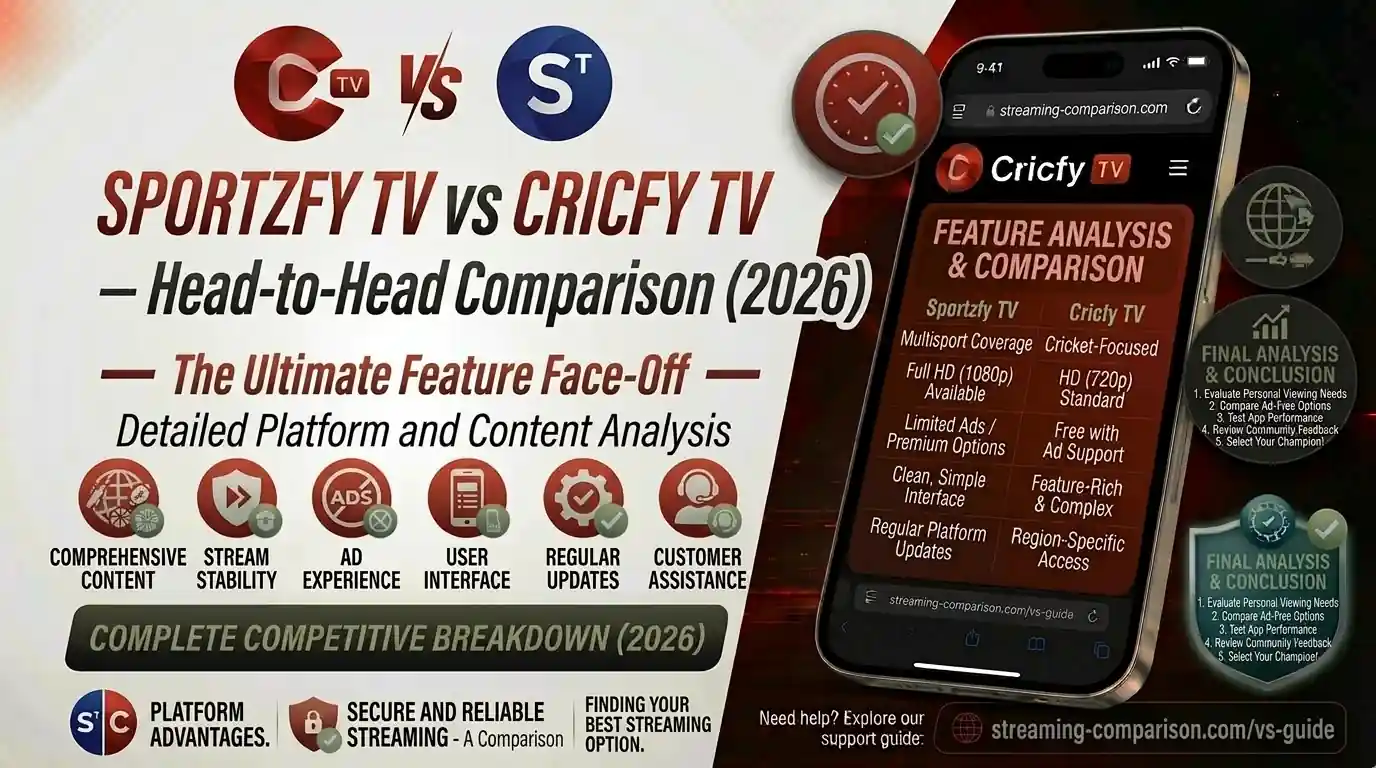
Two apps, one decision. If you watch live cricket or sports on your Android phone, you have almost certainly come across both Sportzfy TV vs Cricfy TV. They sound similar, they both stream for free, and they both skip the subscription paywall. But that is where the similarities start to fade. This head-to-head comparison breaks down every single difference — channels, streaming quality, device support, UI design, and more — so you stop guessing and start watching.
App Overview — What Are They, Actually?
Before you compare anything, you need to understand the core identity of each app. They are not the same type of product. One is built wide, the other is built deep.
Cricfy TV — Cricket First, Everything Else Second
Cricfy TV started its life as a pure cricket streaming app for Android devices. It was designed from day one for the Pakistani and South Asian cricket fan who wants to open an app, find a live match, and start watching — no fuss. Over time, the app added football, tennis, kabaddi, basketball, and general entertainment channels. But cricket is still the soul of the product. The home screen organises live cricket matches front and centre, and the channel library skews heavily toward cricket broadcasters like PTV Sports, Ten Sports, Star Sports, GEO Super, and Sony LIV.
Cricfy TV is currently on version 6.8, and it carries a channel library of over 600 live streams across sports and general entertainment. It is free, requires no account, and installs via APK sideloading on Android.
Sportzfy TV — The All-Sports Platform
Sportzfy TV takes a different angle. It was always designed as a multi-sport streaming hub, not a cricket specialist. The app covers football, cricket, UFC, basketball, badminton, Moto GP, boxing, tennis, wrestling, motorsports, kabaddi, and more. Version 32.0 — the latest at the time of writing — introduced a full TV Mode with 2,700+ browsable live TV channels, a redesigned Glass UI, Multi-View support for watching up to four streams at once, and improved Android TV and Firestick remote controls.
Sportzfy is especially popular in Bangladesh, where it was originally built for a Bangla-speaking sports audience. It also serves Pakistan, India, and a global audience of South Asian sports fans.
The most important thing to know before comparing these apps: Cricfy TV is a cricket-first streaming app that also covers other sports. Sportzfy TV is a multi-sport platform that covers cricket as one of many sports. That single difference shapes every other comparison below.
Channel Count and Coverage
Numbers matter, but context matters more. Let’s break down what each app actually carries.
Cricfy TV Channel Library
Cricfy TV officially lists over 600 live channels in its current version. The channel categories include:
- Cricket channels (PTV Sports, Willow, Star Sports 1–3, Ten Sports, GEO Super, Sony LIV, Hotstar, Astro, Sky Sports Cricket)
- Football channels (beIN Sports, Fox Sports, SSC, BT Sport)
- Pakistani entertainment channels (ARY Digital, Hum TV, Express, Geo News)
- Indian channels (Sony Network, Star Network, Colors, Zee TV, DD Sports)
- News channels (BBC, CNN, Al Jazeera, ARY News)
- Kids channels (Cartoon Network, Pogo, Nick)
The strength here is the depth of cricket-specific channels. You will find commentary feeds in English, Hindi, Urdu, Bengali, Tamil, and Sinhala — something most competitors cannot match.
Sportzfy TV Channel Library
Sportzfy v32.0 advertises 500+ live channels in its standard listing, but the full TV Mode unlocks access to a claimed 2,700+ channels across sports, news, entertainment, movies, and kids categories. Sports channel categories inside Sportzfy span over 50 types, covering:
- Football (Star Sports, Fox, Sky, TNT, DAZN, beIN, SSC, BT Sport)
- Cricket (PTV Sports, Star Sports, GEO Super, Willow, Ten Sports)
- Racing (Formula 1 channels, Moto GP)
- Basketball (NBA TV, ESPN)
- Combat sports (UFC, WWE)
- Entertainment, news, movies, and kids content
If you count raw cricket channels, Cricfy wins. If you count total sport categories, Sportzfy wins. This is the definitive split between the two apps.
Cricket Coverage — Which App Does It Better?
Cricket is the biggest reason anyone in Pakistan, India, Bangladesh, or Sri Lanka installs one of these apps. So let’s treat it as its own category.
Cricfy TV Cricket Coverage
Cricfy TV covers all ICC events — the ICC Cricket World Cup, ICC T20 World Cup, ICC Champions Trophy, ICC Test Championship — as well as bilateral series, tri-series, the Asia Cup, and domestic franchise cricket. That means you can watch:
- PSL (Pakistan Super League) on GEO Super, PTV Sports
- IPL (Indian Premier League) on Hotstar, Star Sports
- Big Bash League (BBL) on Fox Cricket
- CPL (Caribbean Premier League)
- The Hundred, SA20, ILT20
- Pakistan home series, Test cricket, ODI, and T20I matches
Because Cricfy focuses so heavily on cricket, the match listings are easier to navigate. You see live cricket the moment you open the app — no digging through categories. That matters during a World Cup when you want a stream in under ten seconds.
Sportzfy TV Cricket Coverage
Sportzfy also carries all the major cricket channels. You can watch PSL, IPL, ICC events, and bilateral series on PTV Sports, Star Sports, GEO Super, Willow, and Ten Sports inside Sportzfy. However, cricket shares real estate with football, UFC, basketball, and racing on the home screen. During ICC tournaments, Sportzfy still delivers good cricket access, but the navigation takes a few extra taps compared to Cricfy.
Not because Sportzfy lacks cricket channels — it doesn’t. But Cricfy’s entire product is optimised around cricket first. The discovery is faster, the channel depth is greater, and the experience for PSL, IPL, and ICC fans is more fluid.
Multi-Sport Coverage — Football, UFC, NBA, and More
If you watch more than just cricket, this section decides which app belongs on your phone.
Sportzfy TV Multi-Sport Edge
Sportzfy TV was built for multi-sport fans. The app has dedicated sections for football, basketball, boxing, WWE, Moto GP, Formula 1, tennis, badminton, and kabaddi. Specifically, football receives significant attention — you can find Premier League, La Liga, Serie A, Bundesliga, Ligue 1, UEFA Champions League, and the FIFA World Cup 2026 all in one place. Channel sources include Sky Sports, BT Sport, beIN Sports, Fox Sports, DAZN, TNT Sports, and SSC.
The 2026 FIFA World Cup is one of the biggest tests for any streaming app. Sportzfy’s dedicated football infrastructure gives it a real advantage here for fans who want to follow multiple matches across multiple time zones.
Cricfy TV Multi-Sport Coverage
Cricfy TV does carry football, tennis, kabaddi, hockey, basketball, and wrestling channels. The coverage is decent. But the app was not built around multi-sport consumption, and it shows. Football channels are present but not as deep as Sportzfy’s selection, and there is no dedicated section for combat sports or motorsports in the way Sportzfy organises them.
Sportzfy is purpose-built for fans who follow more than one sport. If football, UFC, or F1 is in your rotation alongside cricket, Sportzfy is the stronger call.
Stream Quality — HD, 4K, and Adaptive Bitrate
Both apps offer HD streaming with adaptive bitrate, meaning the quality adjusts to your internet connection automatically. Here is how they compare on the specifics.
Cricfy TV Stream Quality
Cricfy TV streams in SD, HD, and 4K where available. The app uses multi-server support, so if one stream goes down during a live match, you switch to an alternative link without reloading. The lightweight design of Cricfy means it loads streams faster on slower connections — important for users on mobile data in Pakistan or rural South Asia. Users consistently report that Cricfy handles average internet speeds well during cricket matches.
Sportzfy TV Stream Quality
Sportzfy v32.0 offers SD, HD, and 4K options with multiple server links per channel. The new Glass UI redesign also improves how streams load visually, giving a more polished feel. Because Sportzfy covers more channels simultaneously, there can be more load on its servers during peak periods — major cricket or football events — which occasionally causes brief stutters. That said, Sportzfy’s multi-view feature, which lets you run up to four streams at once, suggests the underlying architecture handles concurrent streams well.
Both apps deliver HD streaming. Cricfy TV feels lighter and may handle weak connections better. Sportzfy offers 4K and multi-view, which appeals on stronger networks and larger screens.
UI and User Experience — Which App Is Easier to Use?
Great features mean nothing if the app is confusing to navigate. Let’s talk about the actual in-app experience.
Cricfy TV Interface
Cricfy TV uses a clean, minimal layout. The home screen surfaces live cricket matches immediately. Categories are simple: Live Cricket, Other Sports, Entertainment, News. Because there is less content to organise, beginners and older users find it easy to pick up. The match listing loads quickly, and switching between streams requires only a tap or two. There are no distracting home screen banners or upsells because there is nothing to upsell — the app is entirely free.
Sportzfy TV Interface
Sportzfy v32.0 introduced a Glass UI — a modern, premium-feeling redesign with improved readability and a cleaner navigation structure. The bottom navigation bar separates Live Events, TV Channels, Highlights, and Sports by category. The new TV Mode converts the interface into a traditional channel-browser experience that works perfectly with Android TV remotes and Firestick remotes. Multi View lets you monitor four matches simultaneously — a power-user feature you do not get on Cricfy.
Sportzfy’s UI is richer and more feature-packed. That can feel slightly overwhelming if you only want to open the app, find a cricket match, and press play. Cricfy wins on simplicity. Sportzfy wins on feature depth.
Cricfy’s minimal layout gets you to a live cricket match in two taps. Perfect for fans who don’t need advanced tools.
TV Mode, Multi View, floating player, replay, and remote-friendly controls give Sportzfy a clear power-user edge.
Cricfy surfaces live cricket immediately on the home screen. Sportzfy requires you to navigate into the sports section first.
Sportzfy’s TV Mode and remote-friendly controls make it a better fit for Android TV and Firestick setups.
Device Compatibility — Where Can You Watch?
The device question is often the deciding factor. Here is the full breakdown for both apps.
* Windows PC support requires an Android emulator like BlueStacks. Native Windows apps are not available for either. LG webOS and Samsung Tizen do not support APK sideloading without additional hardware. For those setups, a Firestick plugged into an HDMI port is the cleanest solution — Cricfy has a full Firestick install guide and also supports Android TV and Google TV.
Sportzfy has a small edge on large-screen usability because its TV Mode and remote-friendly controls are built specifically for that environment. Cricfy works on Android TV and Firestick, but the interface was designed for phones first.
Both apps cover Android, Firestick, Android TV, and PC via emulator. But Sportzfy’s TV Mode and native remote support make it the better choice if you primarily watch on a big screen. For iPhone users, Cricfy has a sideload guide via AltStore — Sportzfy does not officially support iOS at all.
Extra Features — What Sets Each App Apart?
Beyond channels and quality, the features inside each app determine your daily experience. Here is a direct feature breakdown.
Features Exclusive to Sportzfy TV
- TV Mode — A full TV channel browser with 2,700+ channels, designed for large screens and remote controls
- Multi View — Watch up to four live streams simultaneously on one screen
- Floating Video Player — Keep a match playing in a small overlay while you use other apps
- Auto Tune from First Channel — Automatically tunes to the first available channel when you open TV Mode
- Glass UI — A redesigned premium interface in v32.0 with improved readability
- Favourite List — Save your most-watched channels for faster access
- Replay / Highlights — Catch missed overs or goals without watching the full match
Features Found on Both Apps
- HD and adaptive bitrate streaming
- Multiple server links per channel (failover support)
- Live score updates alongside stream
- Match highlights and post-match clips
- Free access with no account registration required
- APK sideloading for Android
Features Exclusive to Cricfy TV
- Cricket-first home screen — Live matches surface immediately without any navigation
- 4K support — Where broadcaster sources allow it
- Lightweight architecture — Designed to run smoothly on entry-level Android devices (Android 7.0+)
- Multilingual commentary access — Deep selection of Urdu, Hindi, English, Bengali, Tamil comment feeds
- Match alert notifications — Get notified before a match goes live
- iOS sideload support — Via AltStore for iPhone users
These are genuinely useful features that Cricfy does not offer. If you have a Firestick on your TV or you watch multiple matches at once, Sportzfy wins this category by a wide margin.
Performance and Buffering — Real-World Experience
Features look great on a spec sheet. Real performance during a live PSL or IPL match is what actually matters.
Cricfy TV Performance
Cricfy TV’s focused content library means less server load at any given time. The app is lightweight and performs well on average mobile data speeds. Users report that Cricfy maintains stable streams during cricket matches, and the app recovers quickly when you switch between server links. On entry-level Android phones — the ones with 2GB or 3GB RAM — Cricfy handles memory pressure better than heavier apps.
Known issues include occasional channel errors during peak times (finals, high-viewership ICC matches) and the standard sideloaded APK caveat: you need to update manually, as there is no Play Store auto-update. Cricfy’s existing troubleshooting resources on the not working fix page and the buffering fix guide cover the most common issues in detail.
Sportzfy TV Performance
Sportzfy v32.0 brought meaningful stability improvements. The app holds up well on stable Wi-Fi and 4G connections. Multi View is resource-intensive — running four streams at once demands a mid-range or better device. On older or low-RAM phones, sticking to single-stream mode avoids slowdowns. Some users report that the app can lag when too many channels are active simultaneously during peak events, but switching server links resolves it in most cases.
Cricfy is the safer bet on budget phones and mobile data. Sportzfy performs better when you have strong Wi-Fi and a decent device behind it.
Safety and Privacy — Is It Safe to Install?
Neither app is on the Google Play Store, which means both require APK sideloading. That raises a fair question: are they safe?
What You Should Know About Both Apps
Both Cricfy TV and Sportzfy TV are third-party APKs that stream content from broadcaster feeds. Neither requires account creation, which means no personal data like email, phone number, or payment information is collected during normal use. That is genuinely good from a privacy standpoint.
The safety risk with any sideloaded APK is download source. Fake versions of both apps circulate online with modified icons, extra ads, or malicious code added. Always download Cricfy TV from the official cricfyapp.pk download page and download Sportzfy from its verified official domain.
Sportzfy explicitly states it follows a no-third-party-ad policy inside the app — meaning the only ads you see are the ones that come with the broadcast channels themselves, similar to regular TV. Cricfy TV notes that it may include some ads in the free version, though these are typically minimal and non-intrusive.
Avoid random pop-up download links, fake APK buttons, and sites asking for permissions unrelated to a streaming app. Download both apps only from their official sources. If Cricfy TV shows a VPN detection error, visit the VPN error fix guide for a clean resolution.
Legal Considerations
Both apps aggregate streams from licensed broadcast channels. The legal status of using such apps varies by country and by broadcaster agreements in your region. Viewers in Pakistan accessing PTV Sports content, for instance, interact with a state broadcaster. Viewers accessing Star Sports, beIN Sports, or Sky Sports feeds should be aware of regional broadcast rights held by the International Cricket Council (ICC) and the Pakistan Cricket Board (PCB). Always review your local laws around streaming apps.
Full Feature Comparison Table
Everything side by side in one place. Use this as your quick reference.
| Feature / Category | Cricfy TV | Sportzfy TV |
|---|---|---|
| Primary Focus | Cricket-first | Multi-sport |
| Latest Version | v6.8 | v32.0 |
| Live Channels | 600+ | 500+ (2,700+ with TV Mode) |
| Cost | Free | Free |
| Account Required | No | No |
| HD Streaming | Yes | Yes |
| 4K Streaming | Yes | Yes |
| Adaptive Bitrate | Yes | Yes |
| Multiple Server Links | Yes | Yes |
| Live Scores | Yes | Yes |
| Match Highlights | Yes | Yes |
| Cricket Coverage Depth | Excellent | Good |
| Football Coverage | Good | Excellent |
| UFC / Combat Sports | Limited | Yes |
| Racing (F1, MotoGP) | Limited | Yes |
| TV Mode | No | Yes (v32.0) |
| Multi View (4 streams) | No | Yes |
| Floating Player (PiP) | No | Yes |
| Highlights / Replay | Yes | Yes |
| Favourite Channels | Basic | Yes |
| Match Notifications | Yes | Partial |
| Android Phone | Yes | Yes |
| Android TV / Google TV | Yes | Yes (optimised) |
| Amazon Firestick | Yes | Yes (remote support) |
| Windows PC (emulator) | Yes | Yes |
| iOS / iPhone | Via AltStore sideload | No |
| LG / Samsung Smart TV | No (via Firestick) | No (via Firestick) |
| Chromecast | Limited | Limited |
| App Size / Weight | Lightweight | Moderate |
| Works on Low-End Android | Yes (2GB+ RAM) | Better on 3GB+ RAM |
| Urdu / Hindi Commentary | Yes (deep) | Yes |
| Kids Content | Yes | Yes |
| Entertainment / Dramas | Yes | Yes |
| News Channels | Yes | Yes |
| PSL Coverage | Yes | Yes |
| IPL Coverage | Yes | Yes |
| ICC Events Coverage | Yes | Yes |
| FIFA World Cup Coverage | Good | Excellent |
Final Verdict — Which App Should You Choose?
Here is the honest answer: you probably do not need to choose one over the other forever. Both apps are free, both install in under five minutes, and both run on the same device. Use both and see which one feels right.
That said, if you need a clear recommendation: Choose Cricfy TV if cricket is your primary sport. It is faster to navigate, covers every PSL, IPL, and ICC match, streams reliably on budget phones, and gets you to a live cricket feed in under two taps. You can download Cricfy TV here and check the full Cricfy TV channel list before you install.
Choose Sportzfy TV if you watch multiple sports. Football, UFC, F1, basketball, and cricket all in one app — with TV Mode, Multi View, and a remote-friendly interface that works beautifully on Firestick and Android TV. If the FIFA World Cup 2026 is on your calendar alongside the PSL, Sportzfy handles that combination better than any other free app right now.
The real winner? You — because both apps give you live sports for free that would cost you a cable subscription or multiple paid streaming plans otherwise.
Quick Pick Guide — Who Should Download What?
| Your Situation | Our Recommendation |
|---|---|
| You only watch cricket (PSL, IPL, ICC) | Cricfy TV |
| You watch cricket and football | Both — Cricfy for cricket, Sportzfy for football |
| You watch football, UFC, F1, and cricket | Sportzfy TV |
| You have a Firestick or Android TV | Sportzfy TV (better TV Mode) |
| You have an old or budget Android phone | Cricfy TV (lighter app) |
| You have an iPhone | Cricfy TV (AltStore sideload) |
| You want to watch 2–4 matches at once | Sportzfy TV (Multi View) |
| You want commentary in Urdu / Hindi | Both (Cricfy has deeper coverage) |
| You travel outside Pakistan and need live cricket | Cricfy TV (abroad streaming guide) |
| You are new to streaming apps | Cricfy TV (simpler UI) |
Helpful Resources on Cricfyapp.pk
Whether you run into issues or want to set Cricfy TV up on a new device, these guides on Cricfyapp.pk have you covered.
Device Setup Guides
- How to install Cricfy TV on Firestick
- Cricfy TV on Android TV and Google TV
- Cricfy TV for PC with BlueStacks
- Cricfy TV for iPhone and iOS
- Cricfy TV on Smart TV
- Cricfy TV on LG webOS TV
- Cricfy TV for Windows 11
Troubleshooting Guides
- Cricfy TV buffering fix
- Cricfy TV not working — fix guide
- Cricfy TV unexpected error fix
- Cricfy TV crashing on Android 14 and 15 fix
- Cricfy TV VPN detected error fix
- Channels not loading or black screen fix
- No sound or audio not working fix
Latest Versions
Frequently Asked Questions
Is Cricfy TV better than Sportzfy TV for watching PSL?
For PSL specifically, Cricfy TV has a slight edge. Its cricket-first home screen puts GEO Super and PTV Sports — the two main PSL broadcast channels — front and centre the moment you open the app. Sportzfy also carries both channels, but you navigate into the cricket section first. Either app will let you watch PSL live in HD for free.
Can I use both Cricfy TV and Sportzfy TV on the same phone?
Yes. Both are separate APK files that install independently. There is no conflict between them. Many users keep both installed and switch based on what they are watching — Cricfy for cricket, Sportzfy when they want football or multi-sport coverage.
Does Sportzfy TV work on Firestick better than Cricfy TV?
Sportzfy TV is more optimised for Firestick and Android TV. Version 32.0 introduced TV Mode with full remote-control navigation — you can browse channels, switch between them, and manage the interface using only your Firestick remote. Cricfy TV works on Firestick too, but its interface was designed primarily for touchscreen phones and lacks dedicated remote-control optimisation.
Which app has more channels — Cricfy or Sportzfy?
Cricfy TV officially lists 600+ channels. Sportzfy lists 500+ channels in its standard view, but the TV Mode in v32.0 unlocks access to a claimed 2,700+ channels. For cricket channels specifically, Cricfy has more. For total channel count across all categories, Sportzfy’s TV Mode wins.
Is Sportzfy TV available on iPhone?
No. Sportzfy TV does not officially support iOS. Cricfy TV has a sideload guide for iPhone users via AltStore — you can follow the Cricfy TV iOS AltStore guide on Cricfyapp.pk to install it on your iPhone without jailbreaking.
Does Cricfy TV have PTV Sports live?
Yes. PTV Sports is one of the core channels inside Cricfy TV. It covers Pakistan home series, PSL matches, and major ICC events. You can view the complete list at the Cricfy TV channel list page.
Which app works better on a slow internet connection?
Cricfy TV. Its lighter architecture and cricket-focused design means it places fewer demands on your bandwidth. Both apps support adaptive bitrate streaming, but Cricfy’s smaller footprint means it handles weaker mobile data connections more gracefully. If you are watching on a 3G or unstable 4G connection, Cricfy TV is the safer pick.
Can I watch the ICC Cricket World Cup on both apps?
Yes. Both Cricfy TV and Sportzfy TV carry the broadcast channels that hold ICC World Cup rights in South Asia, including Star Sports, PTV Sports, Ten Sports, and GEO Super. For Pakistan viewers, PTV Sports and GEO Super are the main options. The official ICC website lists the full global broadcast rights by territory if you need to verify your region.
Sources & References
- Cricfy TV Official — Cricfyapp.pk
- Cricfy TV Channel List — Cricfyapp.pk
- ICC Cricket — Official Broadcaster Rights
- Pakistan Cricket Board (PCB) — Official Site
- Pakistan Super League — Wikipedia
- Indian Premier League (IPL) — Wikipedia
- Asia Cup — Wikipedia
- PTV Sports — Wikipedia
- Star Sports India — Wikipedia
- GEO Super — Wikipedia
6 Comments