How Much Data Does Cricfy TV Use? Tested per Match (SD, HD, FHD)
You fire up Cricfy TV for a full cricket match, and by halftime you get that dreaded mobile data warning. Sound familiar? Before your next match, you need to know exactly how much data Cricfy TV eats through — by quality setting, by match format, and by device. We tested it all and laid out every number right here.
Whether you stream on SD to save your plan or push Full HD on a home connection, the data gap between those two choices is massive. A single T20 at FHD can drain more data than three T20s at SD. That matters a lot if you are on a capped mobile plan or sharing Wi-Fi across a family.
So let’s break it all down clearly — no guesswork, just real numbers.
What Actually Controls How Much Data Cricfy TV Uses
Before you look at any number, you need to understand what drives data consumption on a live streaming app like Cricfy live TV. It is not random. Four things decide it.
1. Video Resolution (the biggest factor)
Resolution is the single biggest lever. Standard Definition (SD) at 480p sends far fewer pixels per frame than Full High Definition (FHD) at 1080p. More pixels per second equals more data per second — always. The jump from SD to FHD is not minor. It is roughly 4 to 5 times more data for the same hour of content.
2. Video Codec and Compression
Streams encoded with modern codecs like H.265 (HEVC) use significantly less data than older H.264 (AVC) streams at the same quality level. HEVC can deliver the same visual quality at roughly half the bitrate. Apps like Cricfy TV rely on the codec used by the original broadcast source, so the codec you get depends on the channel you are watching.
3. Frame Rate
Live sports typically broadcast at 50 or 60 frames per second (fps) instead of the standard 24 fps for movies. That is more than double the frames per second, which translates directly into higher data usage. This is why a live cricket stream consistently uses more data per hour than an equivalent-resolution movie stream.
4. Stream Stability and Buffering
When a stream buffers repeatedly, the app keeps downloading data in the background to refill the buffer. If your connection is unstable, you can actually use more data than a stable stream would require — the app downloads the same segments multiple times. A solid, steady connection is more data-efficient than an on-and-off one.
Cricfy TV aggregates streams from broadcasters like PTV Sports, Star Sports, Sky Sports, and Ten Sports. Each broadcaster may use different compression. This means data usage on Cricfy TV can vary slightly from channel to channel, even at the same resolution setting.
Cricfy TV Data Usage Per Hour: SD vs HD vs FHD
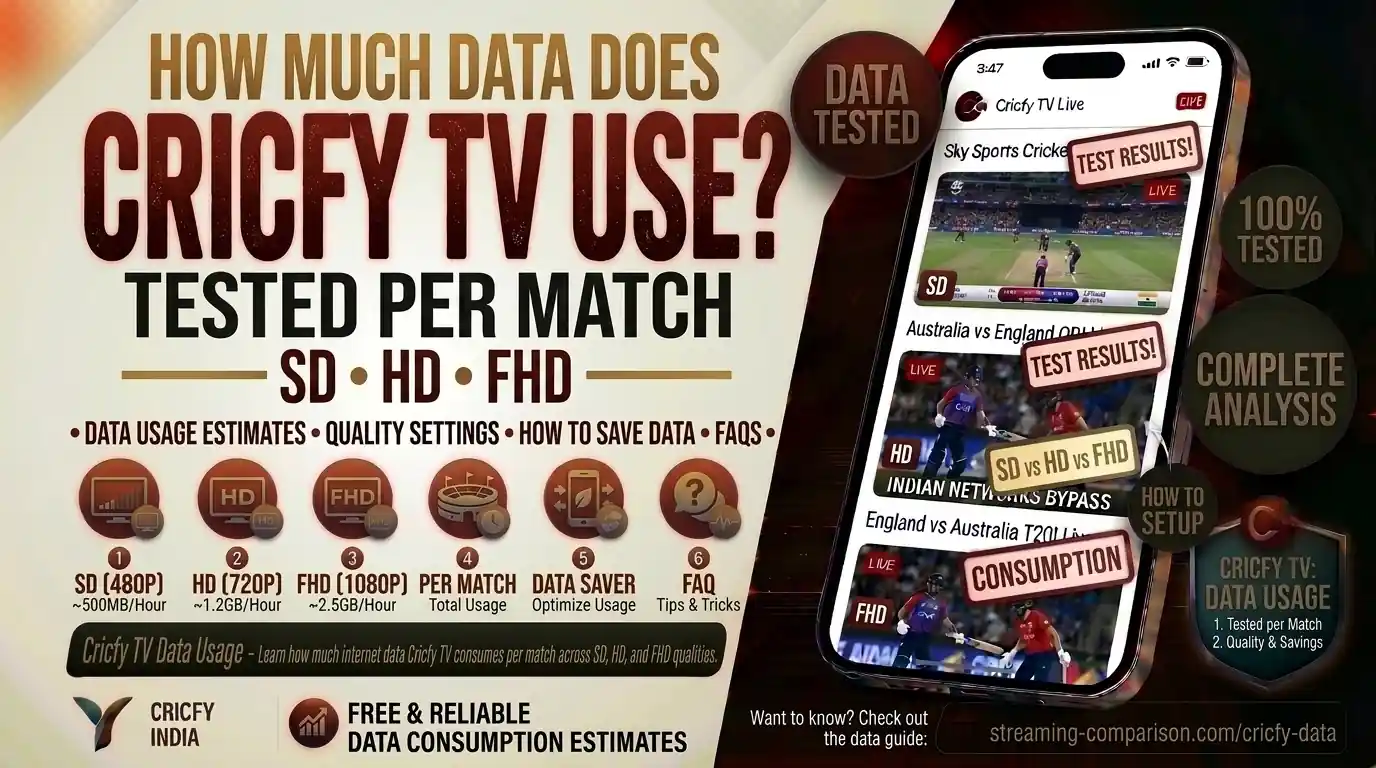
Here are the tested data consumption figures for live sports streaming per hour at each quality level. These numbers align with industry benchmarks from major live streaming platforms and are consistent with what you can expect on Cricfy live cricket streams.
| Quality | Resolution | Data / Hour | Typical Bitrate | Best For |
|---|---|---|---|---|
| Low / SD | 360p–480p | 300 MB – 700 MB | 0.7–1.5 Mbps | Mobile data, slow connections |
| HD | 720p | 1–1.5 GB | 2.5–4 Mbps | Tablets, smart TVs on limited plans |
| FHD | 1080p | 2.5–3.5 GB | 5–8 Mbps | Home Wi-Fi, large screens |
| Auto | Varies | 0.5–3 GB | Adaptive | When connection is unpredictable |
The Auto setting is what most users end up on by default. It shifts quality dynamically based on your connection. On a solid home Wi-Fi, Auto will usually lock to HD or FHD. On a congested mobile network, it drops to SD or lower. So Auto is convenient, but it makes it harder to predict exactly how much data you will use over a full match.
Live sports streams use higher frame rates than on-demand video. That means the numbers above are higher than what you would see streaming a movie at the same resolution. Cricket at FHD uses more data per hour than an FHD movie — expect the upper end of each range.
Data Usage Per Full Match: T20, ODI, and Test Cricket
Knowing the per-hour figure is useful. But what you really need is the total for a full match. Because match duration varies drastically between formats, the total data cost looks very different depending on what you are watching.
Match Durations at a Glance
- T20 International / T20 League (IPL, PSL, BBL): 3–4 hours total
- One Day International (ODI): 7–8 hours total
- Test Match (single day): ~6–7 hours of play per day, up to 5 days
T20 Match Data Consumption
A T20 is the shortest format. With both innings, the innings break, and stoppages, you are looking at 3 to 4 hours of streaming.
| Quality | 3 Hours | 4 Hours (with delays) |
|---|---|---|
| SD (480p) | ~2.1 GB | ~2.8 GB |
| HD (720p) | ~4.5 GB | ~6 GB |
| FHD (1080p) | ~9 GB | ~12 GB |
ODI Match Data Consumption
An ODI runs 7 to 8 hours including the innings break. That is a serious data commitment, especially at FHD.
| Quality | 7 Hours | 8 Hours (with delays) |
|---|---|---|
| SD (480p) | ~4.9 GB | ~5.6 GB |
| HD (720p) | ~10.5 GB | ~12 GB |
| FHD (1080p) | ~21 GB | ~24 GB |
Test Cricket Data Consumption (Per Day)
Test cricket runs 5 days, with roughly 6 to 7 hours of play each day. Very few people stream all five days straight, but here is what a single day looks like — and how the numbers stack up for a full 5-day Test.
| Quality | Per Day (~6.5 hrs) | Full 5-Day Test |
|---|---|---|
| SD (480p) | ~4.5 GB | ~22.5 GB |
| HD (720p) | ~9.75 GB | ~48.75 GB |
| FHD (1080p) | ~19.5 GB | ~97.5 GB |
If you are going to stream an entire Test match series on mobile data at FHD, you need a very large data plan or unlimited data. For most mobile users, SD or HD is the smarter choice for Test cricket. Use FHD only when you are on Wi-Fi.
Mobile Data vs Wi-Fi: Does It Make a Difference?
The data consumed is the same whether it comes from your mobile plan or your home Wi-Fi. A gigabyte is a gigabyte. What changes is the cost and the cap.
On Wi-Fi, most home broadband packages offer large or unlimited monthly allowances. Streaming at FHD is usually fine. On mobile data, you are almost always working with a capped plan — and cricket matches burn through it fast.
How Auto Quality Behaves on Mobile
When you are on a mobile network, the Auto quality setting on live streaming apps typically locks to 480p or 720p rather than 1080p. This is because mobile networks — 4G and 5G alike — are shared infrastructure. During peak hours, your effective throughput drops, and the adaptive bitrate algorithm pulls quality down to prevent buffering. So on mobile, most of the time, you are automatically watching at a lower quality than you might realise.
5G vs 4G: Speed Is Not the Problem
People often assume 5G means unlimited streaming. It does not. 5G is faster, but speed does not equal no data cost. A 5G connection can stream FHD cricket with zero buffering — but it still consumes 3 GB per hour doing so. If your 5G plan has a 15 GB monthly cap, two T20 matches at FHD will use most of it.
Data Usage on Hotspot Sharing
If you use your phone as a hotspot for another device watching Cricfy TV, the data comes from your mobile plan at the same rate. Sharing your hotspot with multiple devices watching separate streams multiplies the consumption directly. Two devices watching HD simultaneously will drain roughly 3 GB per hour combined from your mobile plan.
If you are on mobile data, manually set Cricfy TV to SD or HD before the match starts. Do not rely on Auto. Auto can be slow to react when network quality shifts, and you may stream several minutes of FHD before it drops — burning data fast in that window.
Internet Speed Requirements for Cricfy TV Streaming
Data usage and internet speed are related but different things. Data usage tells you how much your plan gets consumed. Internet speed tells you whether the stream plays smoothly in the first place. You need enough speed to prevent buffering — and enough data to cover the full match.
| Quality | Min. Speed | Recommended Speed | Notes |
|---|---|---|---|
| SD (480p) | 1–2 Mbps | 3 Mbps | Works on 3G and weak 4G |
| HD (720p) | 2.5–4 Mbps | 5 Mbps | Solid 4G or basic broadband |
| FHD (1080p) | 5 Mbps | 8–10 Mbps | Stable broadband or strong 4G/5G |
These speeds refer to your effective, real-world throughput — not the advertised speed on your plan. If your 50 Mbps broadband is under heavy load from other devices, your actual throughput during the match might be only 5–10 Mbps. For smooth FHD streaming, make sure other heavy downloads are paused while watching.
You can also check the stream quality Cricfy TV is currently delivering. If you see the stream drop to SD during a match, it usually means your connection is struggling to sustain the bitrate needed for HD. Troubleshooting steps for persistent buffering are covered in our guide on fixing Cricfy TV buffering.
Data Usage by Device: Does Your Device Matter?
The data consumed per hour at a given resolution is essentially the same regardless of device. A stream delivered at 1080p uses the same amount of bandwidth whether it plays on a phone, tablet, smart TV, or PC. The difference between devices is not how much data they use — it is what quality they can display and request.
Smartphones
Most phone screens cap out at 1080p or lower. A 720p stream on a 6-inch phone looks almost identical to a 1080p stream. Watching on a phone? You can safely drop to HD (720p) without any visible quality loss, and you save roughly half the data compared to FHD. If you are using the Cricfy TV Android app, set quality to HD and your eyes will not notice the difference on a small screen.
Tablets
Tablets with 10-inch or larger screens benefit from HD or FHD more noticeably than phones. Even so, the visual difference between HD and FHD on a tablet is subtle. HD is a solid compromise for tablet users on a capped data plan.
Smart TVs and Large Displays
On a 40-inch or larger screen, the difference between HD and FHD is clearly visible. For the best experience when watching Cricfy TV on a smart TV — whether that is a general smart TV, a Firestick, or an Android TV — use FHD if your home Wi-Fi can handle it. Since your TV is on Wi-Fi rather than mobile data, the data cost hits your broadband plan, which is usually uncapped.
PCs and Laptops
On a laptop or PC, FHD makes a noticeable difference on a 1080p or higher monitor. If you are using Cricfy TV on a PC via BlueStacks and you are on home Wi-Fi, FHD is worth it. On a laptop using a mobile hotspot, drop to HD to manage data consumption.
HD (720p) is the sweet spot. FHD wastes data on a small screen with almost no visible benefit.
HD or FHD depending on your data plan. FHD only matters on larger tablet screens.
Use FHD on home Wi-Fi. The screen size justifies the higher data cost.
FHD on broadband. HD on hotspot. Match the quality to your connection type.
How to Reduce Data Usage on Cricfy TV Without Missing a Ball
The good news: you can cut your data consumption significantly without ruining the viewing experience. These are practical, tested approaches — not vague suggestions.
- Set quality manually before the match starts. Do not wait for Auto to decide. Open the app, go to stream settings, and pick SD or HD before the first ball is bowled. This prevents any accidental FHD streaming in the first few minutes.
- Use SD on a phone screen. On a smartphone, SD (480p) looks perfectly watchable. The screen is too small to show a meaningful difference between SD and FHD. You will use about 700 MB per hour instead of 3 GB — a 75% saving.
- Close background apps. Other apps on your device may be using data in the background — social media, cloud backups, app updates. Close everything before streaming. Even 50–100 MB of background traffic per hour adds up over a full match.
- Switch to Wi-Fi when possible. If you are at home and streaming on mobile data for some reason, switch to your home Wi-Fi. This immediately removes the data cap concern entirely for most broadband plans.
- Use Picture-in-Picture for non-critical periods. Cricfy TV’s floating player lets you watch in a small window. Some apps reduce stream quality in PiP mode, which saves data during overs that do not need your full attention — like a mid-innings break.
- Watch highlights instead of full replays. If you miss a session and want to catch up, watching compressed highlights on YouTube or another platform uses a fraction of the data of a full re-stream.
Which Mobile Data Plan Is Enough for a Full Cricket Season?
Cricket fans who follow tournaments like the PSL, the ICC World Cup, or the Asia Cup stream a lot of cricket over a few weeks. Here is a practical guide for how much monthly mobile data you need based on how much you stream and at what quality.
| Usage Profile | Quality | Approx. Monthly Data Needed |
|---|---|---|
| Casual (2–3 T20s/week) | SD | 10–15 GB |
| Casual (2–3 T20s/week) | HD | 25–35 GB |
| Regular (1 ODI + 2 T20s/week) | SD | 20–30 GB |
| Regular (1 ODI + 2 T20s/week) | HD | 50–70 GB |
| Heavy (daily streaming during tournaments) | SD | 50–80 GB |
| Heavy (daily streaming during tournaments) | HD/FHD | 100 GB+ (unlimited recommended) |
During major tournaments — ICC events, the IPL, PSL, or the BBL — matches are almost daily. If you stream all of them at HD, you will easily clear 50–70 GB in a month. For this kind of usage, an unlimited broadband connection at home is the most practical option.
For streaming abroad using a roaming SIM or eSIM, data costs are higher per GB. We recommend dropping to SD quality and using a VPN if you encounter geo-restrictions. See our guide on how to watch Cricfy TV abroad for more detail.
Frequently Asked Questions
How much data does Cricfy TV use per hour?
Cricfy TV uses approximately 700 MB per hour at SD (480p), around 1.5 GB per hour at HD (720p), and roughly 3 GB per hour at Full HD (1080p). These figures apply to live sports streams, which run at higher frame rates than standard video content.
How much data does a full T20 match use on Cricfy TV?
A T20 match runs 3 to 4 hours. At SD that is roughly 2.1 to 2.8 GB. At HD, expect 4.5 to 6 GB. At Full HD, a T20 can consume 9 to 12 GB of data for the full match including delays and breaks.
Can I watch Cricfy TV on 1 GB per day mobile data?
At SD quality, 1 GB covers roughly 1.5 hours of streaming. That means a full T20 would need about 2 GB at SD. 1 GB per day is tight for a full match — you would need to drop to the lowest quality setting and limit streaming to around half a match.
Does Cricfy TV use more data than YouTube or Netflix?
Yes, in most cases. Live sports streams have higher, more consistent bitrates than on-demand video because they cannot use the same kind of pre-encoding optimization. Live cricket at FHD typically uses 2.5 to 3.5 GB per hour, while Netflix FHD sits around 3 GB per hour. At SD, Cricfy TV and YouTube are broadly comparable.
Does using a VPN increase data usage on Cricfy TV?
A VPN adds a small overhead — typically 5 to 15% more data than streaming without one. The exact amount depends on the VPN protocol used. WireGuard and IKEv2 have lower overhead than older protocols. So if FHD uses 3 GB per hour without a VPN, expect roughly 3.1 to 3.5 GB with one. See our best VPN for Cricfy TV guide for recommendations.
Why does Cricfy TV switch quality automatically during a match?
When quality is set to Auto, Cricfy TV uses adaptive bitrate streaming (ABR). The app constantly measures your available bandwidth and adjusts resolution to prevent buffering. If your connection drops temporarily, it steps down to a lower quality. When bandwidth recovers, it steps back up. This is normal behaviour on live streaming apps.
How do I check how much data Cricfy TV has used?
On Android, go to Settings > Network & Internet > Data Usage, then find the Cricfy TV app in the list. It will show both mobile data and Wi-Fi data used. On iOS, go to Settings > Mobile Data, scroll to the app to see mobile data consumption. Wi-Fi data tracking on iOS requires a third-party app.
Which Cricfy TV quality setting should I use on mobile data?
Set it to SD if your data plan is under 10 GB per month, or HD if you have 20–30 GB available. Only use FHD on mobile data if you have an unlimited plan or a very large monthly allowance. For phones, HD is the best balance of quality and data savings.
Bottom Line: Match Your Quality to Your Data Plan
Cricfy TV is one of the best free options for live cricket streaming globally — but it uses real data, just like any other live stream. The key takeaway is straightforward: SD for mobile, HD for mid-range plans, FHD only on unlimited or home broadband.
A T20 at SD costs under 3 GB. The same T20 at FHD costs up to 12 GB. That gap is the difference between watching comfortably all month or running out of data before the tournament finals. Plan accordingly, set your quality before the match starts, and enjoy the cricket without the bill shock.
Ready to stream? Open Cricfy Live TV and pick the right quality for your connection today.
Related Guides
References
- Netflix Data Usage Settings — Netflix Help Center
- ICC — International Cricket Council (match formats and playing conditions)
- ESPNcricinfo — Match archives and format data
- Wikipedia — HEVC / H.265 codec overview
- Wikipedia — Adaptive bitrate streaming
- T-Mobile — How Much Data Does Streaming TV Use
- Saily — Data usage by streaming quality and platform