
Cricfy Live TV — What It Is & How to Watch (2026)
Look — if you searched for Cricfy Live TV, you probably want two things fast: a straight answer on what the app actually does, and a way to start watching without wasting half your evening. That is exactly what you will get here.
Cricfy Live TV streams over 600 live TV channels — cricket, football, news, cartoons, movies, dramas — into one lightweight Android app. You do not need an account. You do not pay a rupee. You install the APK, tap a channel, and the match starts.
However, a few things are worth knowing before you jump in: which devices actually work, what the dreaded “unexpected error” really means, whether the app is safe, and how it stacks up against the plain Cricfy TV download you may already have seen.
What Is Cricfy Live TV?
Cricfy Live TV is a third-party live streaming app built for Android. Its developers designed it to bundle 600+ sports and entertainment channels into one clean, mobile-first package.
In simple terms, think of it as a pocket-sized TV that fits in a 16 MB download.
Most fans install it during major cricket seasons — the Pakistan Super League (PSL), the Indian Premier League (IPL), ICC World Cups — because it pulls channels like PTV Sports, Geo Super, Ten Sports, Star Sports, and Sky Sports into one place. In addition, football fans use it for the Premier League, La Liga, and the FIFA World Cup 2026.
Furthermore, the interface is deliberately minimal. You tap a category, pick a channel, and you are watching within seconds. There is no home feed, no personalization creep, no ads that swallow the screen.
To sum up: Cricfy Live TV is a free, no-frills window into live global TV, made specifically for Android users who want live sports without paying a monthly bill.
Which Channels Does Cricfy Live TV Offer?
The channel list changes as servers come online and go offline, but the categories stay steady. Here is what you will typically find.
| Category | Popular Channels |
|---|---|
| Cricket & Sports | PTV Sports, Geo Super, Ten Sports, Star Sports 1/2/3, Sky Sports Cricket, Willow TV, ESPN, Fox Sports |
| Football | beIN Sports, BT Sport, BBC Sport, ITV, Sports18, Fox Soccer |
| News (PK) | Geo News, ARY News, Dunya News, Samaa, Bol News |
| News (Global) | Aaj Tak, NDTV, Times Now, BBC News, CNN, Al Jazeera |
| Entertainment | Hum TV, ARY Digital, Sony, Star Plus, Colors, Zee TV |
| Kids | Cartoon Network, Nickelodeon, Disney Channel |
| Documentary | Discovery Channel, National Geographic, History Channel |
If a channel is missing today, it does not mean the channel is gone forever. Servers rotate. Try again during peak match hours — most channels come back online when demand rises.
How to Watch Cricfy Live TV on Android
Android is the main path. Roughly nine out of ten Cricfy Live TV users are on Android phones, tablets, or TV boxes. Here is how to install it in under two minutes.
- Open your phone Settings, then go to Security or Privacy.
- Enable Install from unknown sources for your browser (usually Chrome). See Google’s official guide for exact steps on your Android version.
- Visit CricfyApp.pk and tap the download button. The file weighs roughly 16 MB and downloads in seconds.
- Open the downloaded APK from your notifications or Downloads folder.
- Tap Install. Wait for the confirmation screen.
- Tap Open. Pick a channel from the category grid. Start watching.
On the first install, Android’s Play Protect may flag the APK because it is not from the Play Store. Tap Install anyway if you downloaded from a source you trust. Learn more about how Google Play Protect works.
How to Watch on PC or Laptop
Cricfy Live TV is Android-only. However, you can still run it on Windows or macOS by using an Android emulator. The most popular option is BlueStacks, and it works reliably for most users.
- Download BlueStacks from bluestacks.com and install it.
- Open BlueStacks and skip the Google sign-in if you prefer (optional).
- Drag the Cricfy TV APK file straight onto the BlueStacks window.
- BlueStacks installs the app automatically within a few seconds.
- Launch Cricfy Live TV from the BlueStacks home screen and start watching.
You will want at least 4 GB RAM, an SSD if possible, and virtualization enabled in BIOS. Otherwise, HD streams can stutter on low-end laptops.
How to Watch on Smart TV & Firestick
Honestly, the big-screen experience is where Cricfy Live TV really shines. Match days feel completely different on a 43-inch display.
Fire TV Stick
- Go to Fire TV Settings → My Fire TV → Developer options, then enable Apps from Unknown Sources.
- Install the Downloader app from the Amazon Appstore (it is free).
- Open Downloader, enter the Cricfy TV APK URL, and press Go.
- Once downloaded, tap Install and then Open.
Android TV or Google TV
Sideload the APK using either a USB drive or the Send Files to TV app. Enable unknown sources when Android TV prompts. Install and launch. That is it.
Chromecast from your phone
The easiest big-screen option, honestly. Open Cricfy Live TV on your phone, tap the cast icon in the top bar, choose your Chromecast, and your TV mirrors the stream. Google explains the setup on their official Chromecast help page.
How to Watch on iPhone or iOS
Straight talk here — Cricfy Live TV does not have an official iOS build. Apple’s App Store does not allow third-party streaming APKs, so iPhone users have to work around the restriction.
You basically have three options:
- AltStore sideloading: works but breaks every 7 days when Apple’s certificate expires, and it needs a Mac or Windows PC nearby.
- Web shortcut: open the Cricfy TV website in Safari, tap Share, then Add to Home Screen. Not perfect, but zero setup.
- Legal alternative: use an iOS-native app like Tamasha (Pakistan) or JioCinema (India). You lose channel variety but gain reliability.
Best Settings for Smooth Streaming
A few small tweaks separate a great match-day experience from a buffering nightmare. Here is what actually matters.
- Connection speed: aim for at least 5 Mbps for SD, 10 Mbps for HD. Wi-Fi usually beats mobile data during peak evening hours.
- Quality selector: tap the gear icon during a stream and drop to 480p the moment buffering starts. You save data and the stream stabilizes fast.
- Close background apps: WhatsApp, YouTube, and Facebook eat bandwidth silently. Kill them before a big match.
- Server switching: most channels have two to four server options — try each if one lags. Different servers, different loads.
- Date & time: keep them on Automatic. Wrong system time triggers the “unexpected error” message we cover below.
- VPN carefully: a VPN helps if you are outside Pakistan or India, but some servers block VPN IPs. Test with the VPN off first.
Is Cricfy Live TV Safe and Legal?
Honest answer — it depends on where you live and how you use it.
Safety
The app itself has passed Google Play Protect scans in most independent tests. Moreover, it does not ask for phone contacts, camera, SMS, or location access. Still, it is a third-party APK, and the same golden rule applies to every APK you install: only download from a source you trust, never a random Telegram forward or a shady Facebook group link.
To stay safe, always match the file’s SHA-256 hash against the one listed on the official download page. If they differ, delete it.
Legality
Cricfy Live TV aggregates streams that are, in most cases, licensed to other broadcasters. In Pakistan and India, casual personal viewing sits in a legal gray area — no user has been prosecuted for just watching. However, rebroadcasting, recording, or sharing streams commercially crosses clear copyright lines.
If you want zero legal risk, use official platforms like PTV Sports Live, Tamasha, or JioCinema. These carry proper broadcast licenses and stay ad-supported so you pay nothing.
Cricfy Live TV vs Cricfy TV — Same or Different?
Yes and no. Let us clear this up because a lot of people get confused.
Cricfy TV and Cricfy Live TV refer to the same third-party Android app in almost every context. The developers use both names interchangeably across download sites and forums.
However, there is a completely separate app on the Apple App Store called CricFy TV: Live Cricket TV by Nayan Akbari. That one only shows live scores and ICC rankings — it does not stream matches. Different developer, different app, similar name. Do not confuse the two.
If the download is an APK for Android and streams full matches, it is the Cricfy TV app this guide covers. If it is on the App Store and only shows scores, it is a different app entirely.
Cricfy Live TV Not Working? Quick Fixes
Here are the three most common errors and how to fix each one fast.
“Unexpected error occurred”
- Update to the latest version — usually the fastest fix.
- Check your device date and time and set them to Automatic.
- Turn off VPN, or switch to a VPN server in a different region.
Channel will not load or black screen
- Switch to another server inside the channel player.
- Clear the app cache: Settings → Apps → Cricfy TV → Storage → Clear Cache.
- Restart your phone and reopen the app.
App crashes on launch
- Uninstall the app, then reinstall the latest version.
- Free up at least 300 MB of storage.
- Update your Android system to the latest security patch.
Best Cricfy Live TV Alternatives
No streaming app is perfect. Sometimes servers go down mid-match. Therefore, keeping a backup or two installed is smart.
- Sportzfy TV — closest alternative overall, similar interface, strong football coverage.
- HD Streamz — over 1,000 channels across many countries, less cricket-focused.
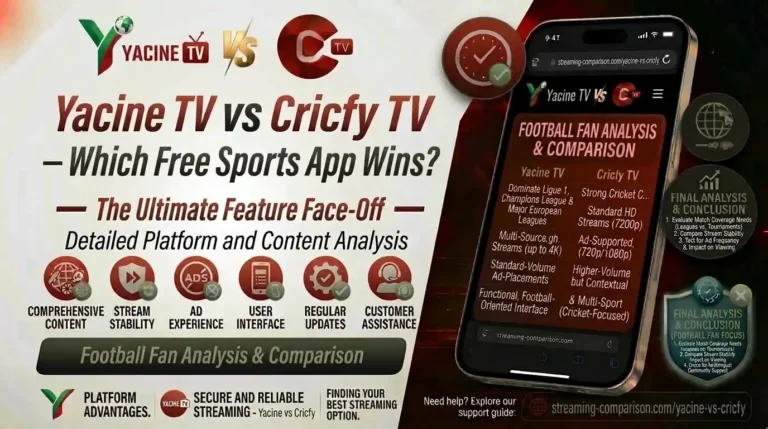
- Yacine TV — the go-to for football fans who want European league coverage.
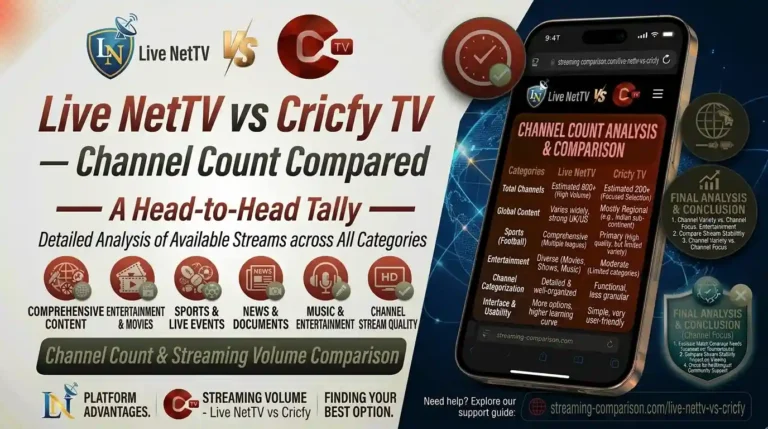
- Live NetTV — huge channel list, reliable during major tournaments.
- Tamasha — the fully legal Pakistan option, backed by PTV licensing.
Frequently Asked Questions
Is Cricfy Live TV completely free?
Yes. Zero cost. There is no trial, no subscription, and no in-app purchases. The app runs entirely on ads, and even the ads are minimal compared with most free streaming apps.
Do I need to create an account to use Cricfy Live TV?
No. You install the APK, open the app, and start watching immediately. Cricfy Live TV does not even ask for an email address.
Does Cricfy Live TV work outside Pakistan and India?
Yes, but some channels are region-blocked. A VPN with a Pakistani or Indian server unblocks most of them. Popular choices include NordVPN, Surfshark, and PureVPN.
How much mobile data does Cricfy Live TV use?
Roughly 700 MB per hour on HD, and 250 to 350 MB per hour on SD. Match the quality setting to your data plan — 480p saves a lot of data with only a small quality drop.
Can I record live streams inside Cricfy Live TV?
The app has no built-in recorder. Third-party screen recorders technically work but breach the terms of service and the broadcaster’s copyright.
Which version of Cricfy TV should I install right now?
The latest — v6.8 as of 2026 — for the newest server fixes and channel updates. Older versions still run but skip channels that have migrated to newer servers.
Why does Cricfy Live TV show “Unexpected error occurred”?
Usually a VPN clash or wrong system time. Turn off VPN, set date and time to Automatic, restart the app. If the error stays, update to the latest version — that fixes it 90 percent of the time.
Does Cricfy Live TV drain battery quickly?
Live streaming drains any app quickly. Expect roughly 15 to 20 percent battery per hour of HD viewing. Dropping to 480p and dimming the screen extends viewing time noticeably.
Can I watch on my LED or LCD TV without a Firestick?
Yes, if the TV runs Android or Google TV. Otherwise, use Chromecast from your phone, or plug an inexpensive Android TV box or Fire TV Stick into an HDMI port.
Is Cricfy Live TV the same as the Cricfy iOS app on the App Store?
No. The iOS App Store app called CricFy TV: Live Cricket TV only shows scores and rankings — it does not stream matches. The APK covered in this guide is a completely different app for Android.
The Bottom Line
Cricfy Live TV keeps things refreshingly simple. You install one 16 MB APK, you skip the subscriptions, and you get more than 600 channels covering nearly every sport and news feed that matters in South Asia.
Is it perfect? No. Servers sometimes buckle during PSL finals, iOS support is a workaround, and the safety picture depends on where you download from. However, for millions of cricket fans across Pakistan, India, Bangladesh, and the diaspora, it is the closest thing to a portable stadium.
Head to CricfyApp.pk to grab the latest APK, then bookmark this page for whenever a channel breaks — you will need it.
Sources
- Google Android Help — Install apps from unknown sources
- Google Play Help — How Google Play Protect helps keep you safe
- BlueStacks Official — Cricfy Live TV on PC via BlueStacks
- Wikipedia — Android application package (APK)
- Wikipedia — Pakistan Super League
- Wikipedia — Indian Premier League
- International Cricket Council — Official ICC events calendar
- FIFA — FIFA World Cup 2026 official site
- Google Chromecast Help — Chromecast setup and casting guide
- APKPure — Cricfy TV Live v6.8 file details
27 Comments