
Pikashow vs Cricfy TV — Sports and Entertainment Compared
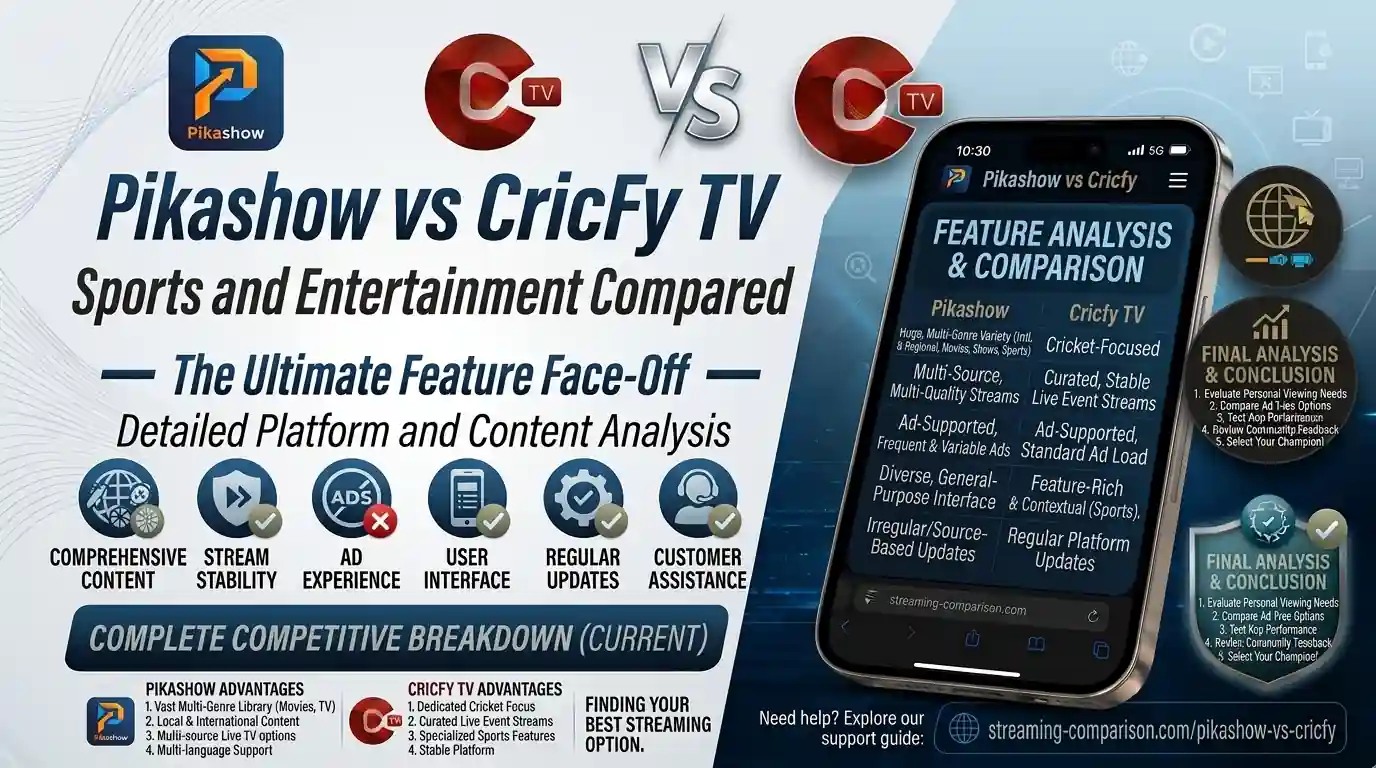
You are trying to pick one app for your sports and entertainment fix, and two names keep coming up: Pikashow vs Cricfy TV. Both are free. Both run on Android. Both let you skip the cable bill. But they are built for completely different users, and picking the wrong one will cost you a lot of frustration. This guide breaks down everything — sports coverage, entertainment library, streaming quality, device support, safety, and more — so you can make one smart decision today.
What Is Cricfy TV?
Cricfy TV is a free, Android-based live sports streaming application built primarily for cricket fans across South Asia — especially users in Pakistan, India, and Bangladesh. The app delivers live access to major cricket tournaments, including the ICC T20 World Cup, Pakistan Super League (PSL), Indian Premier League (IPL), and international Test series.
Beyond cricket, Cricfy TV also streams over 600 live channels covering football, basketball, news, movies, and entertainment. You do not need a login, a subscription, or a credit card. You just install the APK and tap play.
The app is known for its clean dark-theme interface, built-in Chromecast support, real-time match scores, and ball-by-ball commentary. It runs smoothly on even budget Android devices, which makes it especially popular in markets where premium subscriptions are out of reach.
Cricfy TV is widely used during high-profile cricket seasons. During the ICC Champions Trophy and PSL, its concurrent viewers spike significantly — making it one of the most-searched cricket streaming apps in Pakistan.
Want the full picture? Read the complete Cricfy Live TV overview and check out the full Cricfy TV channel list to see exactly what you get.
What Is Pikashow?
Pikashow is a free OTT streaming application built for Android that acts more like a general entertainment hub than a dedicated sports app. Think of it as an unofficial aggregator that pulls content from multiple sources into one place — movies, web series, live TV channels, sports, news, kids content, and regional dramas.
With Pikashow, you get access to 500+ live TV channels including Star Plus, Sun TV, Goldmines, Colors TV, and various sports channels. It also supports 4K and 1080p streaming, subtitle support, external player integration, and offline downloads for movies and shows.
Pikashow is not on the Google Play Store. Like Cricfy TV, it is a third-party APK that you sideload onto your Android device. The latest version as of 2026 is v95, which is approximately 16–30 MB in size.
Pikashow positions itself as a complete family entertainment platform. If your household watches a mix of sports, Bollywood movies, reality TV, and kids cartoons — that variety is exactly what Pikashow is built around.
Content Library — What Can You Actually Watch?
This is the biggest difference between the two apps. The content philosophy is night and day.
Cricfy TV Content Library
Cricfy TV keeps its focus tight. Most of the 600+ channels lean heavily toward sports, cricket, news, and regional entertainment. The app is designed so that a cricket fan can land on a live match in under 10 seconds. Sports content is organized by sport, league, and broadcaster — making navigation fast during busy match days.
You also get:
- Live cricket channels (PTV Sports, Ten Sports, Star Sports, Geo Super, ARY Zap)
- International sports channels (Sky Sports, beIN Sports, SuperSport)
- Match highlights and replays
- Real-time scorecards and ball-by-ball commentary
- News channels and entertainment channels as secondary content
Pikashow Content Library
Pikashow goes wide. Its library covers movies, TV dramas, web series, animated content, music, live TV, and sports channels — all under one roof. If Cricfy TV is a cricket stadium, Pikashow is a full multiplex. You get Bollywood, Hollywood, South Indian films, Pakistani dramas, regional content, and OTT originals from platforms like Netflix, Amazon Prime Video, and Disney+ Hotstar (unofficial aggregated streams).
- Thousands of movies across genres — action, comedy, romance, thriller, horror
- TV dramas, reality shows, web series, animated content
- 500+ live TV channels including entertainment, news, sports, kids
- Sports channels covering cricket, football, tennis, and basketball
- Offline downloads for movies and series
Pikashow wins the breadth battle. Cricfy TV wins the sports depth battle. Which matters more to you decides everything.
Live Cricket — Where Does Each App Really Stand?
Cricket is the main event for millions of users in Pakistan, India, Sri Lanka, and Bangladesh. So this section deserves a close look.
Cricfy TV for Live Cricket
Cricfy live TV was essentially built for this moment — the live match. It gives you direct, dedicated access to:
- PTV Sports — official Pakistani cricket broadcaster
- Ten Sports — a go-to channel for cricket across South Asia
- Star Sports — India’s primary cricket broadcaster for IPL and bilateral series
- Geo Super and ARY Zap — Pakistani sports channels
- Sky Sports Cricket — for England series and county cricket
The app also displays live scores and match statistics within the interface itself. So even if the stream buffers for a moment, you still know what is happening on the pitch. That dual-layer experience — live stream plus live score — is something Pikashow does not offer.
Furthermore, during high-demand events like the PCB-managed PSL or ICC tournaments, Cricfy TV typically provides multiple server options to reduce load. You can switch servers without leaving the app.
Pikashow for Live Cricket
Pikashow does carry sports channels that broadcast cricket. During major tournaments like the IPL or ICC World Cup, you will find working streams through Star Sports and other broadcasted channels inside Pikashow. However, cricket is not Pikashow’s primary product. The app does not organize cricket content the same way Cricfy does, and there is no integrated scorecard or match-specific navigation.
Also, Pikashow updates match links before major events — but users often report needing to hunt around the channel list to find the right stream. For Cricfy users, live cricket is front and center by default.
Winner: Cricfy TV — by a clear margin for dedicated live cricket streaming in Pakistan and South Asia.
Football, Tennis, and Other Sports — How Do They Compare?
Not everyone is a cricket-only fan. So let us look beyond cricket.
Cricfy TV Other Sports Coverage
Despite being cricket-centric, Cricfy TV does carry international sports channels covering football, basketball, tennis, Formula 1, and boxing. Channels like beIN Sports, Sky Sports, and SuperSport give you access to major football leagues including the English Premier League, La Liga, Serie A, and the UEFA Champions League.
The sports navigation in Cricfy TV is better organized than most free apps. You can browse by sport category, which makes finding a football match faster than scrolling through a flat channel list.
Pikashow Other Sports Coverage
Pikashow includes sports through its live TV channel section. It covers cricket, football, tennis, and basketball. However, sports content is bundled together with news and entertainment channels rather than given its own dedicated section. This makes Pikashow slightly harder to navigate when you just want to watch a live football match.
That said, Pikashow’s broader channel library means it occasionally carries regional sports channels that Cricfy does not.
Winner: Cricfy TV for sports-focused navigation. Pikashow edges it for sheer channel variety.
Movies, TV Shows, and Entertainment Content
This is where Pikashow completely runs away with it.
Cricfy TV does carry entertainment and news channels in its 600+ channel lineup, but movies and TV shows are not its focus. If you open Cricfy TV looking for the latest Bollywood blockbuster or a Pakistani drama, you will probably be disappointed.
Pikashow, on the other hand, is built around entertainment. You get:
- Action, comedy, romance, thriller, and horror movies — Bollywood and Hollywood
- Pakistani dramas and Indian TV serials
- Web series from popular OTT platforms (aggregated streams)
- Animated movies and kids cartoons
- Dark theme, subtitle support, and external player options for a better viewing session
Pikashow also lets you create a favourite list — something Cricfy TV currently does not offer. So if you regularly watch the same channels or shows, Pikashow lets you save them in one tap.
Winner: Pikashow — it is not even close for entertainment content.
Streaming Quality — HD, 4K, and Buffer-Free Viewing
Nobody wants to watch a crucial over through a blurry, frozen stream. So streaming quality matters a lot.
Cricfy TV Streaming Quality
Cricfy TV streams most channels in full HD. The picture quality is consistently good for sports because sports viewers demand it most. During high-traffic events, the app offers multiple server options so you can switch to a cleaner stream without dropping out of the app entirely.
The app is also lightweight, which means it does not eat up your phone’s RAM. Even on a budget Android device with 2–3 GB of RAM, Cricfy TV runs without major performance drops during live matches.
That said, during extremely high concurrent viewership — like the PSL final — even Cricfy can lag. It is not unique to this app; every free streaming platform faces server load during peak events.
Pikashow Streaming Quality
Pikashow supports 4K and 1080p streams for movies and shows where the source content allows it. For live TV channels, quality depends on the source stream. Pikashow also supports external video players, which means power users can push streams through VLC or MX Player for smoother playback.
Performance is generally smooth. The 2026 update improved download speed and added better file management, making the offline experience more reliable too.
Winner: Draw. Cricfy TV wins for live sports reliability under load. Pikashow wins for on-demand quality and format flexibility.
Interface and Usability — Which App Is Easier to Use?
Both apps are designed for Android, but they feel very different in day-to-day use.
Cricfy TV Interface
Cricfy TV uses a clean material design with a dark theme. The home screen loads fast and puts live sports front and center. Navigation menus are minimal — you get a sports section, a channels section, and a highlights section. That simplicity is the point. You are never more than two taps from a live match.
The app also includes Chromecast support, so you can throw the stream to your TV with one tap. No fiddling around with settings.
Pikashow Interface
Pikashow organizes content into entertainment categories — movies, TV shows, live TV, sports. The interface is clean and user-friendly, but there is more to navigate because there is simply more content. First-time users might spend a minute or two getting oriented.
The favourite list feature helps repeat users save time. Dark mode is also available through settings. Overall, the experience is solid, just not as instantly sport-focused as Cricfy TV.
Winner: Cricfy TV for sports users. Pikashow for users who want to browse and discover content.
Device Compatibility — Phones, Smart TVs, PC, and iOS
Can you use these apps beyond your Android phone? Let us look at each platform.
| Device / Platform | Cricfy TV | Pikashow |
|---|---|---|
| Android Phone & Tablet | Yes (Android 5+) | Yes (Android 5+) |
| Android TV / Google TV | Yes — guide here | Yes (via APK sideload) |
| Amazon Fire TV Stick | Yes — guide here | Yes (via APK sideload) |
| PC / Windows | Yes via emulator — guide here | Yes via emulator |
| iPhone / iOS | Yes — IPA/AltStore guide | Limited (no official IPA) |
| Smart TV (Samsung, LG) | Yes — guide here | Via Android TV only |
| Laptop | Yes — guide here | Yes via emulator |
| LG webOS TV | Yes — guide here | Not supported |
Cricfy TV has a clear advantage here. The team behind it has put out official installation guides for nearly every device category — Smart TV, LG webOS, Fire TV Stick, iPhone, Android TV, Windows 11, and laptop. Pikashow works on most Android-based platforms but lacks dedicated guides for non-Android devices and does not officially support LG webOS or native iOS.
Winner: Cricfy TV — better cross-device support and documented installation paths.
Offline Downloads — Watch Without the Internet
This one matters if you travel, commute, or have an unstable internet connection.
Pikashow offers consistent offline download support for movies, episodes, and web series. You tap the download icon, pick your quality, and the file is saved locally. The 2026 update even improved download speed and added better file management inside the app. This feature works well across most versions.
Cricfy TV does offer the ability to save content, but offline download support is not consistent across all versions. Since Cricfy TV focuses on live streaming, most of its value is in real-time content — and live content by definition cannot be pre-downloaded.
Winner: Pikashow for offline viewing.
Safety, Security, and Trustworthiness
Since both apps are third-party APKs that live outside the Google Play Store, this is an important conversation.
Is Cricfy TV Safe?
Cricfy TV is safe when you download it from the official source at cricfyapp.pk. The app has passed multiple security checks and does not harm your device or personal data when installed from a trusted source. However, there are modified (modded) versions of Cricfy circulating on third-party sites, and those carry real risks. Always download from the official site only.
If you run into installation issues, the parsing error fix guide on our site covers the most common problems.
Is Pikashow Safe?
Pikashow is generally considered safe by its user base, but it shows more aggressive ads than Cricfy TV. Some versions of Pikashow available on third-party sites may redirect users to external URLs through ad interactions. Download only from trusted APK sources and keep your device’s permissions review active when installing.
Both apps require you to enable “Install from Unknown Sources” on Android. This is standard for any APK outside the Play Store.
For Cricfy TV, bookmark cricfyapp.pk as your only download source. Any other site distributing a “Cricfy TV APK” is unofficial and potentially modified. This is the safest practice for both apps.
Full Feature-by-Feature Comparison Table
| Feature | Cricfy TV | Pikashow |
|---|---|---|
| Primary Purpose | Live sports streaming (cricket-first) | All-in-one entertainment (OTT + Live TV) |
| Live Cricket Channels | PTV Sports, Ten Sports, Star Sports, Geo Super, Sky Sports | Available via live TV section (not cricket-specific) |
| Total Channels | 600+ | 500+ |
| Movies & Web Series | Limited (not the focus) | Extensive — Bollywood, Hollywood, OTT originals |
| Live Score / Scorecard | Yes — built-in | No |
| Ball-by-Ball Commentary | Yes | No |
| Match Highlights | Yes | No dedicated section |
| Streaming Quality | HD (multiple servers) | Up to 4K / 1080p |
| Offline Downloads | Limited / inconsistent | Yes — consistent |
| Favourite List | No | Yes |
| Chromecast Support | Yes | Yes |
| External Player Support | Limited | Yes (VLC, MX Player) |
| Subtitle Support | No | Yes |
| Smart TV (LG/Samsung) | Yes (with guide) | Limited |
| Fire TV Stick | Yes (with guide) | Yes (APK sideload) |
| iOS Support | Yes (IPA/AltStore) | Limited |
| Ad Load | Moderate | Moderate to High |
| Login Required | No | No |
| Cost | Free | Free |
| App Size | Lightweight | ~16–30 MB |
| Safe Download Source | cricfyapp.pk | Trusted third-party APK sites |
Who Should Use Cricfy TV — and Who Should Use Pikashow?
By now the picture is pretty clear, but let us make it even sharper.
Use Cricfy TV If You:
- Watch live cricket regularly — PSL, IPL, ICC tournaments, bilateral series
- Want a dedicated sports experience with integrated scores and commentary
- Need cross-device support for Smart TVs, LG webOS, Fire TV Stick, or iPhone
- Prefer a clean, minimal interface without distractions
- Want to stream on a budget Android device without lag
- Need reliable multi-server options during high-traffic match nights
Also check the Cricfy TV buffering fix if you ever run into slowdowns, and read how to watch Cricfy TV abroad if you travel frequently.
Use Pikashow If You:
- Want a one-app solution for the entire family — movies, dramas, cartoons, sports, news
- Download content for offline viewing during travel or commutes
- Watch Bollywood, Hollywood, or regional OTT content regularly
- Need subtitle support for non-Hindi or non-English content
- Prefer external player support like VLC or MX Player
- Want to create and save a favourite channel or content list
Absolutely. Many users keep Cricfy TV for live sports days and Pikashow for entertainment nights. Both are free, both are lightweight, and both can live on the same device without conflict. If you want the best of both worlds, install them side by side.
For comparison with other apps in the same category, see how Cricfy TV stacks up against Sportzfy TV, HD Streamz, and ThopTV.
Frequently Asked Questions
Is Cricfy TV better than Pikashow for live cricket?
Yes. Cricfy TV is purpose-built for live cricket with dedicated channels like PTV Sports, Ten Sports, Star Sports, and Geo Super. It also includes real-time scores and commentary inside the app. Pikashow carries sports channels too, but cricket is not its primary focus and there is no built-in scorecard.
Does Pikashow work on Smart TV?
Yes. Pikashow APK can be sideloaded onto Android-based Smart TVs and Fire TV Stick. However, Pikashow does not have dedicated installation guides for platforms like LG webOS or Samsung Tizen — unlike Cricfy TV, which has official guides for both.
Can I download content offline on Cricfy TV?
Cricfy TV’s offline download feature is limited and not available across all versions. Since the app is focused on live streaming, its download capability is not a priority feature. Pikashow handles offline downloads more consistently.
Which app is safer to install — Pikashow or Cricfy TV?
Both are third-party APKs outside the Google Play Store, so the source matters. Download Cricfy TV only from the official site at cricfyapp.pk to avoid modified versions. Pikashow should also be downloaded from a trusted APK source. Pikashow tends to show heavier ad loads, which can sometimes lead to redirects if you are not careful.
Is Cricfy TV free?
Yes. Cricfy TV is completely free to use. There is no subscription, no login required, and no hidden charges. The same goes for Pikashow — both apps operate on a free, ad-supported model.
What sports can I watch on Pikashow?
Pikashow includes cricket, football, tennis, and basketball through its live TV channel section. However, sports content is not organized into a dedicated sports hub — it sits alongside news and entertainment channels, which makes navigation slightly slower on match days.
Does Cricfy TV support Chromecast?
Yes. Cricfy TV has built-in Chromecast support. You can cast a live match to your TV directly from the app with one tap. Pikashow also supports Chromecast.
Can I use Cricfy TV on my iPhone?
Yes. Cricfy TV supports iOS through the IPA/AltStore sideloading method. Read the complete iOS installation guide on cricfyapp.pk. Pikashow does not have an officially distributed IPA file, making iOS access limited for Pikashow users.
Final Verdict — Which App Wins?
The honest answer is that they win in different categories — so the right app depends entirely on what you are trying to do.
If you live and breathe cricket — if your evenings during the PSL or ICC World Cup revolve around PTV Sports and Ten Sports — then Cricfy TV is the clear winner. It delivers a faster, more focused, more cricket-native experience than Pikashow. The integrated live scores, the dedicated sports channels, the multi-server setup, and the broad device compatibility make it the better sports app by a significant margin.
If you want one app that covers everything — movies on Tuesday, a drama on Thursday, and a cricket match on Sunday — then Pikashow makes more sense as your primary app. It is the better family entertainment platform.
Our recommendation? Install Cricfy TV as your sports-first app and keep Pikashow around for entertainment nights. Both are free. Both are lightweight. And together, they cover every possible content need without costing you a single rupee.
References & Sources
- Cricfy Live TV — Official Overview (cricfyapp.pk)
- Cricfy TV Full Channel List (cricfyapp.pk)
- Sportzfy TV vs Cricfy TV Comparison (cricfyapp.pk)
- HD Streamz vs Cricfy TV (cricfyapp.pk)
- ThopTV vs Cricfy TV (cricfyapp.pk)
- International Cricket Council (ICC) — Official Site
- Pakistan Cricket Board (PCB) — Official Site
- English Premier League — Official Site
- Streaming Media — Wikipedia
- APK File Format — Wikipedia
One Comment