
Cricfy TV “Unexpected Error Occurred” — Root Cause + 8 Fixes
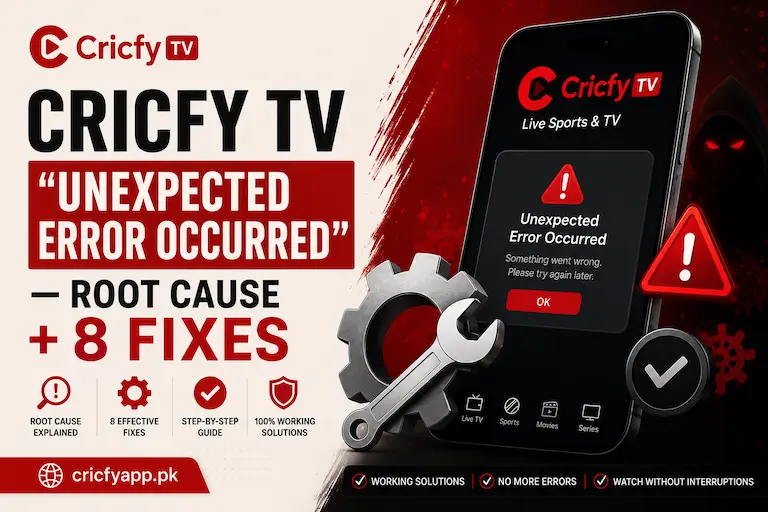
You sit down, the match is about to start, you open Cricfy TV — and then that single line kills your evening: “Unexpected Error Occurred.” No further explanation. Just the error. This guide tells you exactly why it happens and how to kill it in under five minutes.
We tested every fix on Android phones, Android TV boxes, and Amazon Fire TV Stick. We ordered them by how often they actually work — fastest success rate first. If Fix 01 does not do it, Fix 02 almost certainly will.
Root Cause: Why Does Cricfy TV Show “Unexpected Error Occurred”?
The error is a catch-all response the app throws when it cannot establish a valid connection with its streaming servers. In other words, Cricfy TV tried to talk to its backend — and something on either your end or the server’s end blocked that conversation.
It is not a crash. The app itself is running fine. The problem is always in the handshake between your device and the Cricfy TV stream server. Once you fix that handshake, the error disappears instantly.
Here are all the confirmed root causes, ranked from most to least common:
| Cause | Why it breaks streaming | How common |
|---|---|---|
| Outdated APK | Old versions lose access when servers migrate to new endpoints. The app cannot find the stream source. | Very common |
| Active VPN or proxy | Cricfy TV blocks VPN IP ranges in certain regions to comply with stream-access policies. | Very common |
| Corrupted app cache | Stale cached data points the app to dead stream URLs, causing an immediate error on load. | Common |
| Wrong device date/time | The server validates session tokens against device timestamps. A mismatch causes a rejected connection. | Common |
| Slow or unstable internet | Below 3 Mbps, the app times out before the stream buffers and throws an error instead of a loading spinner. | Moderate |
| Server overload | During PSL finals, IPL, or World Cup matches, traffic spikes overwhelm certain server nodes temporarily. | Moderate |
| ISP restriction | Some internet service providers in Pakistan and India block streaming app servers at the DNS or IP level. | Less common |
| Corrupt installation | A partial APK download or interrupted install leaves broken files the app cannot execute properly. | Less common |
When Does the Error Appear Most Often?
Most users see this error in three specific situations. Knowing which one you are in tells you which fix to try first.
- During a live match launch: You tap a channel like PTV Sports, Ten Sports, or Star Sports and the error fires immediately. This is almost always a VPN or outdated APK issue.
- After a Cricfy TV update: You just installed a new version but the error appears on the first open. This points to a corrupted install or a date/time mismatch.
- Mid-match suddenly: Stream was fine, then the error interrupts. This is server overload or a network dropout — not an app problem at all.
Error fires the moment you tap a channel? Start with Fix 01 (update) or Fix 02 (VPN). Error appears mid-stream? Start with Fix 05 (internet) or Fix 06 (switch server). Error appears after a fresh install? Start with Fix 04 (date and time).
8 Fixes for Cricfy TV “Unexpected Error Occurred”
Update to the Latest Cricfy TV Version
Try FirstThis is the number one fix. Cricfy TV’s servers update regularly. Older APK versions lose access to new streaming endpoints — and the only symptom is the “unexpected error” message. There is no in-app update prompt, so you have to do this manually.
- Go to CricfyApp.pk on your phone browser.
- Tap the download button to grab the latest APK (currently v6.8).
- Open the downloaded APK file and tap Install. Android will automatically update over the existing version — no need to uninstall first.
- Open the app and test a live channel.
If you downloaded from a Telegram forward or a random link, there is a high chance you have an outdated or modified APK. Always use the official source to be sure.
Turn Off Your VPN or Proxy
Try SecondCricfy TV actively blocks connections from VPN IP address ranges. Even if your VPN is running quietly in the background — not in front of a browser — the app still detects it and rejects the stream request. This is one of the fastest fixes because it takes three seconds.
- Pull down your notification shade and check for any active VPN icon.
- Open your VPN app (NordVPN, ExpressVPN, Proton VPN, or whichever you use) and tap Disconnect.
- Also go to Settings → Network → VPN and make sure no system-level VPN is active.
- Close Cricfy TV completely from the recent apps tray, then reopen it.
If you need a VPN to access region-locked channels from outside Pakistan or India, the workaround is to connect to a VPN server in Karachi or Mumbai specifically. Generic server locations (US, UK) tend to get blocked. Try that only after confirming the app works without VPN first.
Clear the App Cache and Data
High Success RateThe Cricfy TV cache stores stream URLs, channel lists, and session tokens. When the servers change their endpoints, that cached data becomes stale — and the app tries to connect to addresses that no longer exist. Clearing the cache forces a fresh pull from the current server.
- Open your phone Settings and go to Apps (or Application Manager on older Android versions).
- Find and tap Cricfy TV in the list.
- Tap Storage, then tap Clear Cache. This deletes temporary files only — your settings stay intact.
- If the error persists after clearing cache, tap Clear Data as well. Note: this resets the app to a clean state.
- Reopen Cricfy TV and test a channel.
For most users running a mid-range Android phone like a Samsung Galaxy A-series or a Redmi device, this fix works within 30 seconds.
Set Device Date and Time to Automatic
Often OverlookedThis one surprises people. Cricfy TV’s streaming servers validate each connection request with a timestamp. If your device clock is off — even by a few hours — the server rejects the handshake and sends back the “unexpected error” response. It happens more than you think, especially after factory resets or manual time changes.
- Open Settings → General Management (Samsung) or Settings → System → Date and Time (stock Android).
- Enable both Automatic date and time and Automatic time zone.
- Your phone will sync with the network time immediately.
- Force-close Cricfy TV and reopen it.
On Android TV boxes, go to Settings → Device Preferences → Date and Time → Automatic Date and Time.
Test and Improve Your Internet Connection
Mid-Stream ErrorsCricfy TV needs at least 3 Mbps to maintain a stable SD stream and 10 Mbps for HD. Below that threshold, the app times out before it can buffer enough data — and instead of showing a loading spinner, it throws the unexpected error. Your internet might look connected but still be too slow for live streaming.
- Open Speedtest.net and run a quick test. Check both download speed and ping (latency).
- If you are on Wi-Fi, move closer to the router or restart it by unplugging for 10 seconds.
- Switch to mobile data temporarily and test the same channel. If it works on data but not Wi-Fi, your router or ISP is the problem.
- Close every background app that eats bandwidth — YouTube, WhatsApp video calls, cloud backups running in the background.
- If your ISP restricts streaming app servers, switch to Google DNS: go to Settings → Wi-Fi → long-press your network → Modify → Advanced → DNS 1: 8.8.8.8 / DNS 2: 8.8.4.4.
Switch to a Different Stream Server
Match Day FixDuring big matches — PSL finals, IPL clashes, ICC World Cup games — millions of users hit the same server at the same moment. Individual nodes overload and start throwing errors while other nodes are completely fine. Switching servers inside the player takes two seconds and often solves it instantly.
- Tap a channel that shows the error.
- Look for a server selector inside the player — usually labeled Server 1, Server 2, Server 3, or similar.
- Tap a different server and wait 3–5 seconds for it to connect.
- If one server is overloaded, another will almost always work. Rotate through all available options before moving to the next fix.
Reinstall Cricfy TV from Scratch
Nuclear OptionIf nothing above has worked, you likely have a corrupted installation. A partial APK download — especially on a slow mobile connection — can leave broken library files that cause persistent errors no amount of cache-clearing will fix. A clean reinstall sorts this out completely.
- Go to Settings → Apps → Cricfy TV → Uninstall. Confirm.
- Restart your phone or TV box. Do not skip this step — it clears residual files from memory.
- Visit CricfyApp.pk and download the latest APK fresh.
- Install the APK and open the app. Test a channel immediately.
This fix has the highest success rate for the small percentage of users for whom Fixes 01 through 06 did not work.
Device-Specific Fixes (Fire TV, Android TV, Smart TV)
Platform-SpecificThe root causes are the same across devices, but the navigation path to fix them differs. Here is what to do on each platform.
Settings → Apps → Cricfy TV → Storage → Clear Cache. Then Settings → General Management → Date and Time → toggle Automatic on. Ensure “Install from unknown sources” is enabled for your browser under Settings → Apps → Special app access. Finally, confirm you are on the latest APK from cricfyapp.pk.
Settings → Device Preferences → Date and Time → enable Automatic. Then Settings → Apps → See all apps → Cricfy TV → Clear cache. If the error persists, use Send Files to TV to push the latest APK from your phone, then reinstall. For Android TV, incorrect date/time is the single most common cause — always check this first.
Settings → My Fire TV → Developer Options → confirm Apps from Unknown Sources is ON. Then Settings → Applications → Manage Installed Applications → Cricfy TV → Clear Cache → Clear Data. Use the Downloader app to pull the latest APK from cricfyapp.pk and reinstall. On Firestick, outdated APK after a server migration is overwhelmingly the number one cause.
How to Prevent the Error in the Future
Once you fix it, keep it fixed. These habits take zero effort and eliminate most repeat errors.
- Check for a new APK before every major match. Cricfy TV does not push in-app update alerts. The five-minute check before the PSL or IPL opening game will save your evening.
- Keep date and time on Automatic permanently. Never set it manually. This is a silent error-trigger that catches people off-guard after travel or device resets.
- Bookmark the official download page. CricfyApp.pk is the only source guaranteed to have the current version. Telegram forwards are almost always behind by one or two versions.
- Clear cache once a week if you use the app heavily. It takes 10 seconds and prevents stale data buildup.
- Test without VPN first. If you need a VPN for region access, use it — but always rule out the app without VPN first when debugging a new error.
During major cricket events, Cricfy TV servers occasionally go down for 10–30 minutes from sheer traffic load. If you have tried all eight fixes and nothing helps, wait 15 minutes and try again. You can also switch to a backup app like Sportzfy TV or HD Streamz for the interim. Our full Cricfy TV not working guide covers broader troubleshooting beyond this specific error.
Related Guides on CricfyApp
Looking for more help with Cricfy Live TV? These guides on our site cover the most common questions from end to end.
- Cricfy TV Home — Download Latest APK — the starting point for everything Cricfy.
- Cricfy Live TV — Full Guide (What It Is, How to Watch) — setup instructions for Android, Fire TV, PC, and iOS.
- Cricfy TV Not Working — All Fixes — broader troubleshooting covering black screens, buffering, and crashes.
- Is Cricfy TV Safe? Security Analysis — permissions breakdown, APK hash verification, and safety verdict.
- Cricfy Live TV Channel List — full list of channels by category.
Frequently Asked Questions
Why does Cricfy TV show “Unexpected Error Occurred” even after updating?
If you updated but the error persists, the next most likely culprits are an active VPN or a corrupted app cache. Turn off any VPN first, then clear the cache via Settings → Apps → Cricfy TV → Storage → Clear Cache. If you downloaded the update from anywhere other than cricfyapp.pk, the APK may still be an older build despite the filename suggesting otherwise.
Does this error only happen during live cricket matches?
No. It can appear when loading any live channel — football, news, entertainment. However, the error spikes during major cricket events like PSL, IPL, and ICC tournaments because server load is highest at those moments. The fix is the same regardless of which channel triggered it.
My Cricfy TV works on mobile data but not on Wi-Fi. Why?
Your router or ISP is blocking Cricfy TV’s streaming servers. Try restarting the router first. If that does not help, switch your phone’s DNS to Google’s public DNS (8.8.8.8 / 8.8.4.4) in your Wi-Fi settings. Some ISPs in Pakistan and India have placed restrictions on specific streaming app domains.
Can I fix this error without uninstalling Cricfy TV?
Yes — in most cases. Fixes 01 through 06 all work without uninstalling. Only Fix 07 (reinstall) requires removing the app. Try the others first; the majority of users resolve the error without ever needing to uninstall.
How do I know if the error is on Cricfy TV’s side, not mine?
If every single channel throws the error at the same time and your VPN is already off, date/time is correct, and cache is clean — it is likely a server outage on Cricfy TV’s end. Wait 15–30 minutes, especially if a major live match just started. You can also check social media for other users reporting the same issue simultaneously.
Does the Cricfy TV error appear on iPhone or iOS?
Cricfy TV does not have an official iOS app. If you see a streaming error on an iOS device, you are likely using a different app. For iPhone users, the web shortcut via Safari or a legal alternative like Tamasha is the closest equivalent. Our full Cricfy Live TV guide covers iOS workarounds in detail.
Is there a way to watch live cricket free if Cricfy TV keeps erroring out?
Yes. The most reliable legal alternatives are PTV Sports Live (free, official), JioCinema (free in India), and Tamasha (free in Pakistan). For a third-party backup, Sportzfy TV and HD Streamz both have similar channel coverage and are worth keeping installed alongside Cricfy TV.
Will clearing data delete my saved preferences in Cricfy TV?
Yes, Clear Data resets the app completely — it is like a fresh install without the uninstall step. However, Cricfy TV does not require a login or have user accounts, so there is nothing to restore. It takes less than 30 seconds to get back to where you were.
Which Cricfy TV version should I have in 2026?
The current version is v6.8, released in 2026. Always download from CricfyApp.pk to make sure you have the current build. Older versions — especially anything below v6.0 — are likely to throw the unexpected error on most channels because they reference deprecated server endpoints.
Does Cricfy TV error more on older Android versions?
Somewhat. Cricfy TV officially supports Android 6.0 and above. Devices running Android 5.x or older may see more frequent errors because certain security protocols the app uses for server authentication are not fully supported. The fix is the same — update the app — but older devices may continue to see instability regardless.
Bottom Line
The “Unexpected Error Occurred” message on Cricfy TV looks alarming but it is almost always fixable in under five minutes. In the vast majority of cases, the problem is a single outdated APK or an active VPN — fix either of those first and you are done.
If you hit the rare case where all eight fixes fail, the servers are almost certainly overloaded. Wait it out and keep a backup like Sportzfy TV ready for match days.
For the latest working APK, head to CricfyApp.pk. And for anything beyond this specific error, our Cricfy TV not working guide has you covered.
Sources
- Google Android Help — Install apps from unknown sources on Android
- Google Play Help — How Google Play Protect works
- Google Public DNS — Google Public DNS Overview (8.8.8.8 / 8.8.4.4)
- Amazon Fire TV Help — Enable Apps from Unknown Sources on Fire TV
- Pakistan Cricket Board — Official PCB — Pakistan cricket schedule and broadcasting rights
- International Cricket Council — ICC Official Site — tournament schedules and broadcasting partners
- PTV Sports — PTV Sports Live — official free streaming platform
- Wikipedia — Pakistan Super League — tournament and broadcast details
- Wikipedia — Indian Premier League — broadcast rights information
- Speedtest by Ookla — Internet Speed Test — verify connection speed before streaming
- Wikipedia — Android Application Package (APK) — technical reference
12 Comments